Introduction
Ten years ago, buying software meant IT approval, a purchase order, and one line in a central ledger.
Today, a marketing manager can swipe a card for a new app during a free trial, a sales rep can expense a subscription, and a department head can approve a renewal without IT ever finding out.
Applications multiply across departments, payment methods, and approval channels, then auto-renew long after anyone remembers why the subscription started.
Spreadsheets and isolated procurement records can't keep pace. They go stale the moment someone cancels a seat, adds a user, or signs a contract outside the usual process.
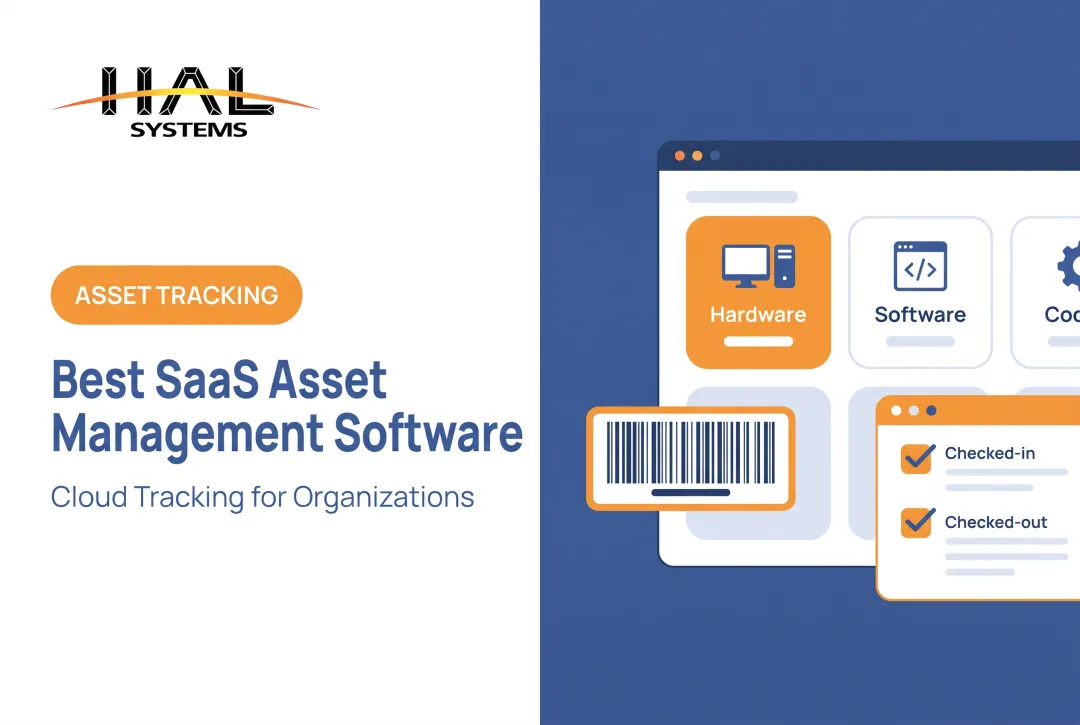
SaaS asset management software covers two related ideas. It can describe cloud-delivered asset-management systems, but far more often it means software built to discover, govern, optimize, and track an organization's SaaS applications and subscriptions.
This article covers both meanings, the core capabilities worth evaluating, how SaaS management differs from ITAM and SAM, and how to select and roll out the right tool.
Key Takeaways
- SaaS asset management software creates one central record of applications, owners, users, contracts, costs, renewals, and risk
- Core capabilities include continuous discovery, usage visibility, renewal workflows, access governance, integrations, and reporting
- SaaS management, software asset management, and IT asset management overlap but aren't interchangeable terms
- Implementation works best with shared ownership across IT, finance, procurement, security, legal, and business teams
- Companies with physical equipment or operational assets often need a broader platform alongside SaaS management tools
What Is SaaS Asset Management Software?
SaaS asset management software is a platform, or in smaller organizations a structured process, for identifying, recording, governing, and optimizing cloud-based applications throughout their lifecycle. It turns scattered purchasing data into one system that IT, finance, and procurement can actually trust.
What the Software Tracks
A useful system connects more than an app name to a logo. It typically records:
- Applications, subscriptions, and the vendors behind them
- User accounts, assigned seats, and permission levels
- Contracts, renewal dates, and payment terms
- Usage and login activity by application and user
- Business owners and approval history
- Security reviews and data-classification notes
Just storing that list in a database isn't enough. The value comes from connecting the data to a decision: reclaiming a license nobody has opened in 90 days, flagging a duplicate project-management tool before its renewal, or cutting access the moment an employee leaves.
The SaaS Asset Lifecycle
Most SaaS assets move through a similar path:
- Request and approval - an employee or department requests a new tool
- Procurement - purchasing and contract terms get finalized
- Deployment and assignment - accounts, seats, and permissions get set up
- Usage monitoring - login and activity data shows whether the tool earns its renewal
- Renewal or renegotiation - the contract comes up before it auto-renews
- Retirement - access, data, and billing get shut down cleanly

Deployment Models Vary
SaaS asset management capability shows up in different packaging: a dedicated SaaS management platform, a module inside a broader ITAM or procurement suite, or a cloud-hosted add-on to existing identity and finance tools. The delivery model matters less than whether the data stays current and connects to real workflows.
That currency problem is growing. The average organization now runs 106 different SaaS applications, according to BetterCloud's 2025 report - a modest decline from the prior year, but still far beyond what a shared spreadsheet can track accurately across owners, renewal dates, and usage patterns.
Why Organizations Use SaaS Asset Management Software
Centralizing SaaS data isn't just tidier recordkeeping. It changes what an organization can actually see and act on.
Closing blind spots. Employee purchases, department-owned subscriptions, expense reimbursements, free trials, and tools inherited through mergers all create gaps that procurement systems alone won't catch. A single acquisition can double an app portfolio overnight as two companies' contracts and logins collide.
Controlling cost. Usage and license data exposes inactive users, duplicate tools solving the same problem, overprovisioned plans, and unused seats still on the books. That same visibility surfaces vendor consolidation opportunities.
Reducing risk. Linking every application to an owner, its users, the data it touches, and its security review status gives compliance teams something to act on, not just a list to audit. Offboarding workflows close access automatically rather than relying on someone remembering.
Planning renewals. Without visibility into upcoming renewals, teams negotiate under deadline pressure or let contracts auto-renew unreviewed. Renewal alerts paired with usage data let teams question the plan tier and negotiate with better information.
Cutting manual work. Spreadsheet updates, email approval chains, duplicate data entry, and handoffs between IT, finance, procurement, legal, and business teams all consume time a connected system can absorb.
Organizations leave an average 36% of SaaS licenses unused, according to Zylo's 2026 index, based on an analysis of more than 40 million licenses and $75 billion in spend. Even companies confident in their software stack are likely paying for seats nobody opens.

Core Capabilities to Look For
Not every tool marketed as "SaaS management" does the same job. Four capability areas separate a genuinely useful platform from a glorified app directory.
Discovery and Normalized Records
Native discovery pulls data from identity providers, single sign-on, finance and expense systems, browser or endpoint signals, APIs, and employee submissions.
That's different from a platform that only works from a manually imported spreadsheet, which recreates the staleness problem it's meant to solve.
Once discovered, applications need clean, consistent records:
- Standardized names, categories, and ownership
- Duplicate detection and parent-child vendor relationships (one vendor selling three product lines under different names)
- Clear source attribution on every record
Usage, Licenses, and Access
This is where cost decisions get made. The platform should connect:
- Assigned seats to actual users
- Activity or login data to license tiers
- Permission levels to job function
- Offboarding status to access removal
Without that connective tissue, "usage data" is just a login count with no path to action.
Contracts, Renewals, and Governance
Storing a PDF of a contract doesn't save anyone money. Useful contract management tracks renewal dates, notice periods, auto-renewal clauses, payment terms, and negotiation tasks. It then alerts the right person before a deadline passes.
Governance adds approval policies, risk assessments, and escalation paths for unsanctioned or high-risk applications.
Integrations, Reporting, and Automation
A platform's value depends on what it connects to: identity systems, HR, finance, procurement, ticketing, ERP, accounting, and security tools. Before committing, test the mechanics:
- How often does data sync, and what triggers a refresh?
- What permissions does the integration require?
- Can the platform write back changes, or only read data?
- What does an exported report actually include?
This matches the evaluation categories analysts use to compare vendors, including discovery, expense management, license optimization, and lifecycle management, according to Gartner's capability framework. Use that list as a baseline, not just a vendor's marketing page.

SaaS Asset Management Software vs. SAM and ITAM
These terms get used interchangeably in vendor pitches, but they describe different scopes.
Software asset management (SAM) is the broader discipline of controlling software licenses, deployments, entitlements, usage, and compliance obligations across on-premises, cloud, and subscription models. It's a process framework, not just a product category.
IT asset management (ITAM) covers the full technology estate: endpoints, servers, network equipment, software, and contracts. It tracks ownership, procurement, maintenance, and retirement so assets stay managed and protected throughout their lifecycle under the ISO/IEC 19770-1:2017 standard.
SaaS management sits inside both, but is narrower. It emphasizes cloud applications, decentralized purchasing, user access, subscriptions, usage, and renewals rather than the entitlement compliance SAM tracks or the full hardware-plus-software estate ITAM covers.
| Dimension | SaaS Management | SAM | ITAM |
|---|---|---|---|
| Asset scope | Cloud applications and subscriptions | Software licenses and entitlements (any deployment) | Hardware, software, network, and contracts |
| Primary users | IT, finance, procurement, app owners | Licensing and compliance teams | IT operations and asset managers |
| Data sources | SSO, expense systems, browser/endpoint signals | License agreements, deployment records | CMDB, procurement, maintenance logs |
| Buying trigger | App sprawl, renewal risk, shadow IT | License compliance audits, true-up risk | Full asset lifecycle and cost control |
Where the Disciplines Overlap
All three care about inventory, ownership, cost control, lifecycle stages, access governance, contracts, and reporting. The difference is depth versus breadth: SaaS management goes deep on cloud subscriptions, while ITAM goes wide across the whole asset estate.
Why One Platform Rarely Covers Everything
An organization running laptops, servers, manufacturing equipment, and over a hundred SaaS apps usually needs more than one connected system. A configuration management database (CMDB) shows the limit clearly. It maps service and configuration relationships well, but it is not a complete SaaS spend, usage, or renewal-management system. Those jobs need purpose-built discovery and financial data most CMDBs were never designed to collect.
How to Choose and Implement SaaS Asset Management Software
Choosing a platform works best as a structured process, not a demo-driven decision.
Baseline what you already know. Document known applications, purchasing channels, identity systems, finance records, renewal obligations, current owners, and the decisions you can't currently make because the data doesn't exist.
Define one initial use case. Pick a specific goal: discovering unmanaged applications, cutting renewal surprises, improving offboarding, consolidating redundant tools, or building a defensible spend record. Trying to solve everything at once usually solves nothing well.
Build cross-functional ownership before buying. IT, procurement, finance, security, legal, HR, and business owners all touch SaaS decisions. Assign responsibility for data quality, approvals, and renewal tracking before launch.
Run a controlled pilot. Test discovery coverage, duplicate handling, owner matching, contract ingestion, renewal alerts, and integration behavior against your own records, not a vendor's sample data.
Calculate total cost of ownership honestly. Ask vendors to break down pricing by license, user, or managed application, then add implementation, integrations, data cleanup, training, and ongoing administration.
Roll out in stages. Establish the system of record first, connect your highest-value data sources, validate ownership and renewal data, fix urgent risks, then expand coverage once data quality holds up.

Once the system is live, clear ownership keeps the data usable. Ownership varies by company. One 2023 survey found procurement owned SaaS buying and renewal decisions for just over half of respondents, with IT owning it for roughly 28%. There's no universal answer. The right owner is whoever can keep the data current and act on it.
How HAL Traxx Can Fit Broader Asset Management Needs
HAL Traxx isn't built as a dedicated SaaS spend-management platform. It doesn't discover cloud applications, measure SaaS login activity, or manage subscription renewals.
HAL Traxx fits alongside SaaS management for organizations that also track physical and operational assets. That includes tools and equipment, warehouse inventory, fixed assets, manufacturing materials and work-in-process, and items moving across multiple job sites.
Since 1983, HAL Systems has built HAL Traxx as configurable software adaptable to workflows that off-the-shelf tools often can't handle. It supports:
- Barcode, RFID, lookup, and manual-entry input methods
- Check-in/check-out tracking for tools, equipment, and medical devices, including condition and authorization records
- Integration with ERP, accounting, shipping, eCommerce, or factory systems through APIs, ODBC, or transfer files
- Built-in reporting templates plus SQL Reporting Service for custom queries against the full database
Deployment is flexible, too: organizations can run HAL Traxx on-premises or through Amazon Web Services cloud hosting. That flexibility addresses hosting preference, not SaaS discovery or renewal tracking, which remain separate functions.
For companies that need specialized SaaS management plus a system for physical or operational assets, HAL Traxx can serve as the configurable operational-asset platform in that pairing. If your organization is sorting through mixed physical-asset and software-management needs, talk with HAL Systems about how the workflows fit together.
Frequently Asked Questions
What is ITAM in asset management?
IT asset management covers the full lifecycle of technology assets, including hardware, software, contracts, ownership, deployment, maintenance, and retirement. It's broader than any single software category, spanning the entire IT estate.
What is SaaS asset management software?
It's software that discovers and manages SaaS applications, users, licenses, contracts, costs, risks, and renewals from one centralized system, replacing scattered spreadsheets and disconnected procurement records.
How is SaaS management different from software asset management?
SaaS management focuses on cloud subscriptions, usage, access, and renewals. SAM has a broader focus, covering software entitlements, deployments, license compliance, and optimization across on-premises and cloud environments alike.
What features should SaaS asset management software include?
Look for continuous discovery, normalized inventory, clear ownership, usage and contract tracking, renewal alerts, risk workflows, integrations, reporting, and audit trails. Missing any one creates a gap in decision-making.
Can small and mid-sized businesses benefit from SaaS asset management software?
Yes, once application sprawl, renewal risk, decentralized purchasing, or offboarding complexity outgrows what a spreadsheet can reliably track. That threshold often arrives sooner than smaller companies expect.
Does SaaS asset management software replace ITAM?
No. It complements ITAM rather than replacing it, especially for organizations also tracking endpoints, servers, tools, equipment, fixed assets, or manufacturing assets outside the SaaS stack.