Introduction
Spreadsheets break down fast when assets move. A forklift driver updates one tab, a technician forgets to log a tool return, and by Friday nobody knows where half the equipment actually sits.
Paper logs and manual counts create the same problem across warehouses, production floors, vehicles, crews, and facilities. Items go missing. Counts don't match. Audits take days instead of hours.
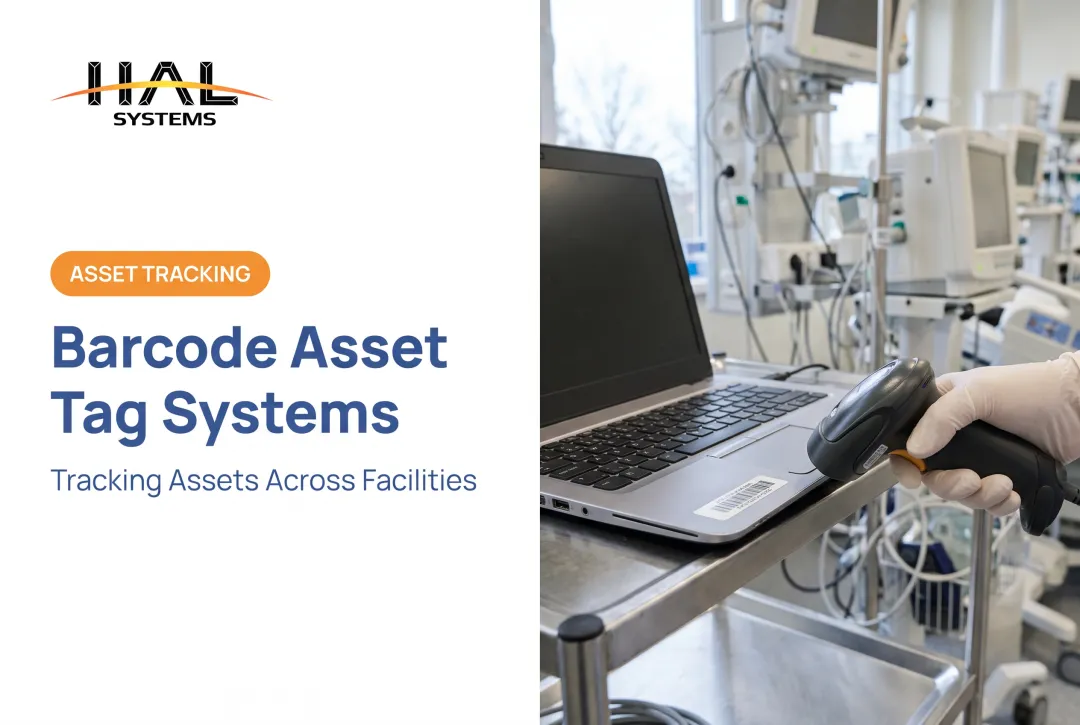
Barcode asset tracking software solves this by connecting a scannable label to a digital record. That record holds the asset's identity, location, status, assigned user, quantity, and history, all updated the moment someone scans.
This guide covers how the barcode workflow functions, the business benefits and use cases, and what to look for in software. You'll also see how to implement a system and what barcodes, QR codes, and RFID cost for US organizations.
Key Takeaways
- Barcode tracking pairs labels, scanners, and software into one searchable asset record
- The best systems connect scans to receiving, transfers, check-in/check-out, audits, and maintenance
- Software selection should weigh workflow fit, integrations, deployment, and scalability over price alone
- Total cost includes subscriptions, hardware, labels, integration, training, and support, not just a license fee
What Is Barcode Asset Tracking Software and How Does It Work?
A barcode label doesn't store much information. It's a key, not a filing cabinet. The scanner or mobile device reads that key, and the tracking software does the real work: pulling up the full record, displaying it, and saving whatever update the scan represents.
GS1 US describes this exact structure in its guidance on the Global Individual Asset Identifier. The identifier gets encoded into a barcode, but the asset's details live in a database keyed to that code. Scanning retrieves and updates information rather than reading it directly off the label.
The workflow looks like this:
- Create or import an asset record into the system
- Assign a unique identifier tied to that record
- Generate and apply a label to the physical item
- Scan the item during a business event (receiving, checkout, audit)
- The system saves the resulting update automatically

A single scan can update fields across the full asset record:
- Asset name, serial number, and quantity
- Location, assigned employee, and condition
- Purchase details and maintenance history
- Attached documents and audit activity
HAL Systems' HAL Traxx platform, for example, attaches images to records so staff can document an item's condition at the moment of a scan, not just its ID.
Common Scanning Workflows
Scanning isn't a separate chore bolted onto operations. It replaces the paperwork that already happens during:
- Receiving: confirming the correct item entered the building and logging it into inventory
- Issuing and transfers: checking tools, devices, or materials out to a user, crew, or location, and recording returns
- Audits and maintenance: running cycle counts, physical inventories, inspections, and retirement updates
Hardware and Connectivity
Not every scan happens the same way. Some teams use dedicated rugged scanners; others rely on a phone camera. Before buying anything, check:
- Supported barcode formats (1D, 2D, or both)
- Camera-based scanning versus dedicated hardware
- Ruggedness for outdoor or industrial environments
- Offline operation when Wi-Fi or cellular drops
Integrations matter too. Pulling data from an ERP, accounting system, or warehouse platform into the same record eliminates duplicate entry. HAL Traxx connects to these systems through APIs, ODBC, or transfer files, though any integration claim should be verified against the specific platform you're evaluating.
What Are the Benefits and Use Cases of Barcode Asset Tracking Software?
Manual entry is slow and error-prone by nature. Scanning cuts that burden directly. HAL Systems' internal data shows organizations typically reduce direct labor for inventory transactions by 25% to 65% once scanning replaces manual logging, largely because staff stop re-keying the same information twice.
Visibility improves alongside speed. A properly configured system shows an item's last recorded location, current status, assigned user, and full movement history in seconds rather than requiring a phone call or a walk across the building.
Accuracy claims deserve some caution, though. A GS1 US case study at the Geisinger health system found that barcode scans against GS1 identifiers produced a product match rate of up to 95% on stockroom shelves, according to GS1 US's case study.
That figure reflects one deployment combining barcodes, RFID, and system synchronization, not a universal accuracy benchmark for barcode scanning alone.
Financial and Operational Impact
Fewer misplaced tools. Fewer duplicate purchases. Less time wasted hunting for the right item before someone just buys another one.
A NIST Manufacturing Extension Partnership case study on barcode-supported inventory management reported $122,500 in cost savings following a $172,000 capital investment in scanning and system integration, per NIST's case study.

The source doesn't isolate how much of that savings came from barcoding versus the broader system upgrade, so treat it as a directional example rather than a guaranteed return.
Use Cases by Operational Environment
- Distributors and 3PLs: receiving, put-away, picking, location-level inventory, cycle counting, and client-separated stock records
- Manufacturers: raw materials, components, work-in-process, stockroom movements, and finished goods
- Field service and construction: tool and equipment check-in/check-out across crews, trucks, depots, and job sites
- Public-sector and institutional teams: fixed-asset inventories, department assignments, and defensible custody records for annual audits
For organizations that need affordable, familiar identification without jumping straight to RFID infrastructure, barcodes remain the practical starting point. They scale with the business and don't demand new readers or tags just to add another location.
Which Features Should You Look for in Barcode Asset Tracking Software?
Not all barcode software does the same job. Some tools barely go past scanning a code and showing a name. Others manage the entire asset lifecycle.
Core record and workflow features to prioritize:
- Configurable asset fields and unique IDs
- Location management and transfers
- Check-in/check-out with authorization controls
- Quantity tracking and status changes
- Maintenance history and audit trails
- Configurable alerts for overdue items or expiring certifications
Scanning and label capabilities:
- Support for the barcode formats your organization already uses
- QR code compatibility where label space or data needs call for it
- Bulk label generation and reprinting controls
- Durable tag compatibility for harsh environments
- Camera-based mobile scanning as an alternative to dedicated hardware
Reporting and visibility to prioritize:
- Inventory reports and asset history views
- Discrepancy reporting and audit results
- Maintenance dashboards
- Role-specific access so technicians and finance managers each see only what they need
Technical Requirements Worth Checking
| Requirement | Why it matters |
|---|---|
| Cloud or on-premises deployment | Affects upfront cost and IT involvement |
| Offline workflows | Keeps scanning working in low-connectivity areas |
| APIs or ODBC connectivity | Enables integration without manual re-entry |
| User permissions | Controls who can edit versus view records |
| Backup and data security | Protects against loss during migrations |
Why Configurability Matters
Unusual workflows break rigid software. A platform like HAL Traxx is built from configurable software blocks, so it can function as asset tracking, warehouse inventory, or work-in-process manufacturing software without forcing an organization onto a separate platform for every use case.
Before signing anything, ask a vendor to demonstrate a realistic workflow: receive an item, move it to a location, assign it to a user, check it out, record a maintenance event, and complete an audit.
If the vendor can't walk through that sequence live, keep looking.
How to Choose and Implement a Barcode Asset Tracking System
Buying software before understanding your own process is how implementations stall. Start with the groundwork instead.
Audit First, Label Second
Identify what actually needs tracking, which items need unique records, where current data lives (even if it's a messy spreadsheet), who touches it, and which manual steps cause the most errors or delays.
Then standardize the data model before anyone prints a single label:
- Naming conventions and asset categories
- Location and status definitions
- Ownership fields and required documentation
- Rules for handling duplicate or retired records
Match Hardware to the Environment
A warehouse scanner doesn't need to survive mud and rain. A tool crib on a construction site does. Consider:
- Indoor versus outdoor exposure
- Label surface and durability needs
- Scanning distance and lighting conditions
- Connectivity in the field versus on-site Wi-Fi
Roll Out in Stages
- Clean and import existing data so garbage doesn't carry over into the new system
- Test labels and scanners on a small batch before committing
- Pilot one department or location to catch problems early
- Train users at the point of work, not just in a classroom
- Measure adoption and data quality, then expand site by site
Scanning works best when it's part of normal operations, not an extra administrative step tacked onto someone's day. Define exactly who scans during receiving, issuing, movement, maintenance, and disposal before go-live, so there's no ambiguity on day one.
Implementation support makes or breaks adoption. HAL Systems provides configurable HAL Traxx software with integration work, workflow configuration, training, and ongoing support through trained resellers. Organizations get hands-on help without locking into a rigid, one-size-fits-all platform.
Barcode Types, QR Codes, RFID, and Cost Considerations
The right barcode format depends on your data needs, not on a single "best" option.
1D codes like Code 39 and Code 128 handle straightforward identification well. Code 39 supports up to 43 alphanumeric characters, while Code 128 encodes the full ASCII character set with tighter density for high-volume logistics labels. Both work well for simple, single-field lookups like an asset ID.
2D codes, including QR codes and GS1 DataMatrix, pack more into less space. A GS1 DataMatrix symbol can hold thousands of characters depending on format and size, letting a single label carry an item ID, batch number, and expiration date together. That makes 2D formats worth considering when label space is tight or multiple data fields need to travel with the asset.
Barcodes vs. RFID
Traditional barcodes need line-of-sight and get scanned one item at a time. RFID skips that requirement. Multiple tags can be read almost simultaneously without a direct line of sight, though that comes with different tags, readers, and infrastructure costs to plan around.

A simple decision framework:
- Choose barcodes for straightforward ID and controlled, one-at-a-time scan workflows
- Choose QR or 2D codes when label space or multi-field data capacity matters
- Consider RFID when bulk reads or non-line-of-sight scanning justify the added infrastructure investment
What Does It Actually Cost?
Total cost of ownership includes more than a software subscription. Based on publicly listed vendor pricing examples as of late 2025, organizations should budget for:
- Software subscriptions: cloud plans commonly start around $100–$250 per month for smaller deployments, with enterprise tiers quoted individually
- Onboarding: separate SaaS or on-premises setup fees, often in the $800–$1,300 range
- Scanning hardware: handheld scanners range from roughly $150 for basic USB models to $800 for wireless 2D scanners with charging bases
- Labels and tags: durable asset tags typically run $160–$190 per package, with per-label cost depending on quantity
Integration work, data migration, training, and ongoing support add further cost and vary by vendor and complexity. Compare total cost of ownership across software, hardware, and services, not the subscription price alone.
Frequently Asked Questions
How much does a barcode inventory system cost?
Cost depends on the number of users, assets, and locations, plus deployment type, scanning hardware, labels, integrations, and support. Compare total cost of ownership across vendors rather than subscription price alone.
What asset tracking software includes a barcode scanner?
Many platforms support mobile camera scanning out of the box or connect with dedicated scanners. Verify supported devices, barcode formats, offline capability, and whether hardware ships with the software or gets purchased separately.
What is the best software for asset tracking?
The best option depends on your asset types, workflows, integrations, deployment preference, and reporting needs. Test a realistic workflow, such as receiving, checkout, and audit, before committing to a vendor.
What is the best app for barcode inventory management?
A basic scanning app reads codes; real inventory software maintains records, locations, movements, permissions, and audit trails. Choose based on operational requirements, not scanning speed alone.
What is the best software for barcode labeling?
Look for label design tools, support for your required barcode formats, bulk generation, printer compatibility, durable materials, and a direct connection to your asset database so labels and records stay in sync.
How do I track a barcode number?
Link the number to a unique record in your tracking software first. Every subsequent scan during a relevant transaction, such as a transfer or audit, retrieves and updates that same record automatically.