Barcode equipment tracking ties each physical item to a reliable digital record. Warehouse and distribution teams, manufacturers, field service and construction firms, public-sector asset managers, and 3PLs all run into this problem.
This guide covers system components, workflows, benefits, implementation, technology choices, and costs.
Key Takeaways
- An effective system combines unique labels, scanning devices, tracking software, and consistent procedures.
- Barcodes work best when items can be scanned individually with line of sight.
- A scan records the last known event, not live location.
- Judge cost by total ownership, not software price alone.
What Is a Barcode Equipment Tracking System?
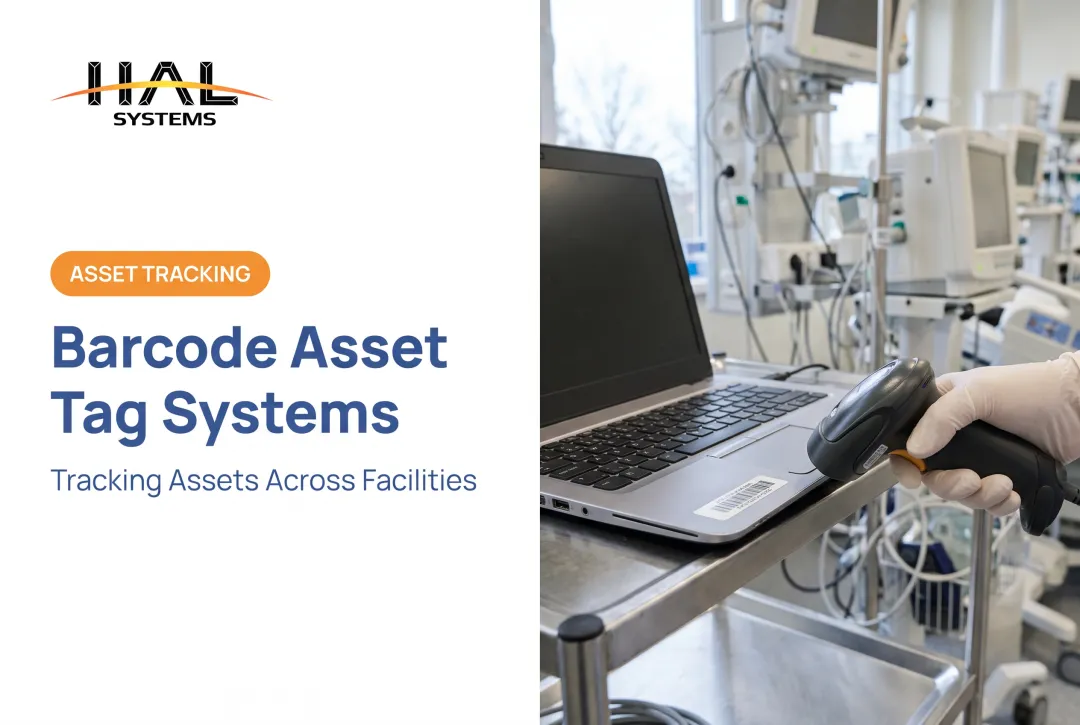
A barcode equipment tracking system combines uniquely identified barcode or QR labels, scanners or mobile devices, tracking software, and workflows. The label carries a unique ID; the software records location, status, custody, condition, and history.
GS1's asset identifier standard follows the same pattern. It identifies individual assets with a short key, while the detailed information stays in the database.
Equipment tracking vs. inventory tracking
Reusable equipment and fixed assets are tracked one by one across their lifecycle. Consumable inventory is usually tracked by quantity, lot, serial number, or stock movement.
Many organizations need both: tools and machinery alongside materials, spare parts, and work-in-process. One platform often has to handle each category differently. HAL Traxx, for example, offers Asset Tracking and Inventory Control as separate configurable applications that can run together.
A scan is not a GPS ping
A printed label doesn't transmit anything. DHS contrasts barcodes with GPS, where receivers report position at intervals. A barcode system knows only what was last scanned.
So scan equipment whenever it is:
- received
- assigned
- moved
- serviced
- counted
- returned
How a Barcode Equipment Tracking System Works
System components
Labels. The label is the item's unique identifier. A 1D barcode suits short IDs and large labels. 2D codes and QR codes carry more data in less space, which helps on small tools. Match the choice to label size, scanning environment, and your organization's standards.
Hardware. Device choice should reflect workload, mobility, durability, connectivity, and scan volume:
- Handheld scanners for high-volume stations
- Mobile computers and rugged tablets for field and warehouse work
- Smartphones and tablets for light, occasional scanning
- Fixed-mount scanners at doors or checkpoints
- Barcode printers for creating and replacing labels
Software. The tracking software holds the equipment records, rules, and history. Browser-based systems such as HAL Traxx run on handhelds, tablets, or smartphones. They support Windows, iOS, Android, or Linux, so no client software is installed on the device.
Typical equipment-tracking workflow
Setup follows a short sequence:
- Create the equipment record.
- Assign a unique ID.
- Print and apply the label.
- Link the code to the record.
- Scan once to confirm it retrieves the correct item.
After that, scans update day-to-day events:
- Receiving and location transfers
- Crew assignment, check-out, and check-in
- Inspection, repair, and maintenance
- Cycle counts and retirement
A good platform keeps an audit trail with user and timestamp, current status, last recorded location, and service or condition notes. Ask vendors how they handle synchronization and offline scanning, especially for job sites with spotty coverage.
Some systems add control on top of tracking. HAL Traxx check-out can record condition with images. It can also block check-out when calibration or repair is due, or when the employee isn't certified for the equipment.

Benefits and Use Cases for Barcode Equipment Tracking
Operational and financial benefits
Less manual entry. Scanning replaces typing. One clinical laboratory study found 14.1 seconds per entry with barcode readers versus 21.1 seconds by keyboard, with no reader errors against 55 keystroke errors. It measured lab reports, not assets, so treat it as directional evidence for scanning in general. HAL Systems also reports that direct labor on inventory transactions is typically cut by 25 to 65%.
Accountability. Check-in/check-out records and location history show who has shared equipment. They cut search time and flag items that are overdue, missing, or repeatedly misplaced.
Better lifecycle decisions. Linking records to maintenance schedules, inspections, warranty data, and repair history shows which items cost more to keep than replace.
Visibility. Reports can show:
- current assignments
- equipment by location
- utilization patterns
- outstanding maintenance
- audit status
- exceptions needing attention
Use cases by organization type
Distributors, warehouses, and 3PLs. Scanning supports receiving, put-away, location transfers, equipment check-out, and cycle counts. 3PLs also need client-separated records, and multi-facility operations need one view across sites.
Construction and field service. Crews scan tools in and out of trucks and job sites. Rugged barcode or QR labels scanned at checkout record location, timestamp, and employee.
Manufacturers. The same scanning approach tracks raw materials and work-in-process, plus serialized components and floor equipment.
Public sector and institutions. Agencies physically inventory tagged assets on a schedule. Federal-award rules, for instance, require equipment inventories reconciled to records at least every two years. A barcode audit trail makes that count defensible.
How to Implement and Choose a Barcode Equipment Tracking System
1. Assess process and data. Define success measures before buying anything. Document:
- Equipment types, locations, and users
- Movement points and current spreadsheets
- Compliance obligations and events you must record
2. Set labeling and data standards. Decide on:
- ID conventions and asset categories
- required fields and location hierarchy
- human-readable text on every label
- tag placement and replacement procedures
- materials that survive moisture, abrasion, chemicals, heat, or outdoor exposure
The University of Wisconsin–Madison tagging procedure is a useful model. It names who issues tags, who applies them, and which items are exempt, such as those where tagging would damage the item.
3. Choose hardware for the environment. Smartphones are cheap and familiar. Dedicated rugged scanners cost more but handle drops, weather, long shifts, and distant or damaged labels. Check 1D/2D compatibility, battery life, connectivity, ergonomics, and printer needs.
4. Evaluate software. Look for:
- equipment master records and custom fields
- check-in/check-out and assignments
- multi-location tracking
- maintenance and inspection history
- audit trails and role-based permissions
- reports, alerts, and offline operation
- an interface frontline employees will actually use
5. Verify integration and deployment. Confirm APIs, ODBC, or file transfers to ERP, accounting, warehouse, shipping, or eCommerce systems. Compare cloud and on-premises hosting.
Settle data ownership, backups, security, support, and upgrade responsibility. Cloud security is shared: AWS, for example, separates responsibilities between provider and customer.
6. Pilot first. Train users on when and how to scan, assign someone to own data quality, and track adoption and exception rates. Test the full chain from label creation to reporting before expanding.

Where HAL Traxx may fit
HAL Systems, an Atlanta-area software developer in business since 1983, builds HAL Traxx from configurable software blocks. It suits organizations that want equipment tracking alongside warehouse, inventory, or work-in-process workflows.
Relevant points:
- Check-in/check-out with condition images and authorization rules
- Barcode, RFID, lookup, and manual entry inputs
- Integration through APIs, ODBC, and transfer files
- On-premises or AWS cloud hosting
- Lean/Six Sigma consulting and reseller-supported implementation
Confirm that its specific barcode features match your workflow in a demo.
Barcode Technology Options and Total Cost
1D, 2D, and QR
- 1D barcodes: simple, widely supported, low data capacity, need more label space.
- 2D and QR codes: more data in a smaller symbol, but need an imager or camera.
GS1 notes DataMatrix error correction recovers only some damage, so label quality still matters. Keep the code short, ideally just the ID, and store everything else in the database.
Barcode vs. RFID vs. GPS
| Technology | Strength | Limit |
|---|---|---|
| Barcode | Low cost, individual scans | Needs a scan event and usually line of sight |
| RFID | No line of sight, multiple reads | Added reader and tag infrastructure |
| GPS/telematics | Continuous position reporting | Best for vehicles and dispersed heavy equipment |
A 2015 DHS note puts passive RFID tag range around 10 feet and active-tag range up to 300 feet.
What does it cost?
Think total cost of ownership. Posted U.S. prices give a sense of scale, though none are quotes:
- Software: AssetTiger lists $20/month for 500 assets and $75/month for 10,000. GoCodes lists $500/year for 200 assets and 3 users.
- Printers: Brady M510 industrial printer, $399.99; Wasp WPL305 desktop, $599.
- Labels: Brady polyester outdoor labels, $245.99 per 10,000-roll.
- Scanners and devices: Wasp WDI7500 2D scanner, $379; WT10 rugged Android tablet, $1,275.
Implementation, integration, data migration, training, and hosting costs vary too much to benchmark. Get quotes for those.

Conclusion and Next Steps
The right system fits your asset types, scan points, environment, integrations, user skills, reporting needs, and growth plans. Lowest software price alone is a poor guide.
Start here:
- Document the equipment lifecycle.
- Pick a representative pilot group.
- Test labels and scanners in the real environment.
- Compare total costs.
- Confirm the software can adapt as workflows change.
Frequently Asked Questions
How much does an equipment barcode tracking system cost?
Cost depends on software, asset count, users, scanners, printers, labels, integrations, training, and hosting. Calculate total cost of ownership and request current vendor pricing.
How do I track equipment inventory with a barcode tracking system?
Register each asset, assign and apply a unique label, and set up scanners with location and user records. Then scan at receiving, movement, check-out, maintenance, audits, and return.
Can barcodes be used to track equipment?
Yes. Barcodes identify individual items and link scans to location, custody, condition, maintenance, and audit records. Accuracy depends on durable labels and consistent scanning.
What is the best barcode scanner for an equipment barcode tracking system?
It depends on environment, scan volume, code type, mobility, connectivity, ruggedness, battery needs, and budget. Smartphones suit light use; rugged handhelds and mobile computers suit harsh, high-volume work.
What information should a barcode equipment tracking system store?
Store the unique ID, description, serial or model number, purchase and warranty details, current and past locations, assignee, condition, maintenance and inspection history, and retirement data.
Can barcode equipment tracking work across multiple locations?
Yes, if every transfer is scanned against facility, zone, bin, vehicle, crew, or job-site records. Look for synchronization, role permissions, consistent standards, and offline support.