Introduction
A purchase order lands in someone's inbox as a PDF. An employee retypes it into the ERP system. Hours later, a shipment notice arrives in a different format, and the cycle repeats.
This is how a lot of businesses still move orders, invoices, and inventory updates between trading partners. The result: delays, duplicate entry, and errors that ripple into fulfillment, billing, and customer satisfaction.
EDI integration solves this by connecting standardized electronic document exchange directly with the business applications that actually use the data, including ERP, warehouse, accounting, shipping, manufacturing, and eCommerce systems.
This guide covers what EDI integration means, how the workflow operates end to end, the main architecture options available, and a practical checklist for evaluating systems and solutions.
Key Takeaways
- EDI integration automates standardized document exchange between trading partners and internal applications
- A complete solution includes translation, mapping, validation, secure transmission, acknowledgments, and monitoring
- Direct, VAN-based, web EDI, hybrid, cloud, and on-premises models each carry different trade-offs in control and cost
- The right solution should fit current partner requirements while scaling with future integrations and business growth
What EDI Integration Means
Electronic data interchange is the computer-to-computer exchange of structured business documents between trading partners, using agreed standards instead of paper, email, or PDFs. GS1 UK's guidance describes EDI as a structured electronic alternative to paper-based transactions between business applications.
EDI and EDI integration are not the same thing. EDI moves the document from one company to another. Integration connects that exchange to the systems that create, process, and act on the data, so a purchase order flows straight into order management without anyone retyping it.
Core Components of an EDI Integration System
A working EDI integration system typically includes:
- Trading partners and endpoints - the companies and systems exchanging documents
- Document types and standards - the specific transaction sets and format versions required
- Translation and data mapping - converting EDI formats into internal application formats and back
- Validation rules - checks that catch errors before a document moves forward
- Acknowledgments - confirmation that a document was received, accepted, or rejected
- Security, monitoring, and archiving - protecting data in transit and tracking its status over time
Common EDI Document Types
The specific documents and requirements depend heavily on industry and trading partner, but a few transaction types show up across most supply chains:
| Document | Common Standard | Purpose |
|---|---|---|
| Purchase order | X12 850 | Requests goods or services from a supplier |
| Invoice | X12 810 | Bills a buyer for goods or services delivered |
| Advance ship notice | X12 856 | Details shipment contents ahead of delivery |
| Functional acknowledgment | X12 997 | Confirms a transaction set was accepted or flags syntax errors |
Order acknowledgments and payment or remittance documents round out most order-to-cash and procure-to-pay cycles.
How EDI Integration Works
Outbound Flow
An ERP, order-management, warehouse, or accounting system creates the business data first, say, a purchase order or invoice. The integration layer then maps that data and translates it into the EDI standard and partner-specific format required by the trading partner.
Validation Before Transmission
Before anything transmits, the system checks:
- Required fields and data types - making sure nothing critical is missing
- Document structure - confirming the message matches the agreed format
- Partner implementation guidelines - following partner-specific rules beyond the generic standard
- Duplicate detection - catching repeat submissions
- Business rules - blocking documents that would otherwise cause downstream errors
Catching problems here prevents incomplete or invalid documents from ever reaching a partner.
Transmission Protocols
The protocol used has to match what the trading partner requires. Common options include:
- AS2 - transfers signed, encrypted data over HTTP with certificate-based setup and MDN receipt confirmation (RFC 4130)
- SFTP - transfers files over SSH with encryption and server authentication
- HTTPS - uses TLS for confidentiality and integrity
- VAN connections - route messages through an intermediary network
Inbound Flow and Acknowledgments
On the receiving end, the system authenticates the incoming message, validates it, translates it into internal format, and routes it into the right application or workflow.
Sending a document isn't the finish line. Teams need visibility into whether it was received, accepted, rejected, processed, or stuck somewhere in between. That means acknowledgments, exception alerts, and audit trails that flag stalled transactions before they become a missed shipment.
A simple example: A buyer's system generates a purchase order (850), which transmits to the supplier. The supplier's system sends back a functional acknowledgment (997), confirms the order, fulfills it, generates a ship notice (856), and later issues an invoice (810). Each step depends on the last one completing correctly.

EDI Integration Models and Architecture Options
No single architecture fits every organization. The right choice depends on partner count, volume, and internal technical capacity.
Direct (point-to-point) vs. VAN-based:
- Direct EDI connects partners over FTP, SFTP, or AS2 with no intermediary. You keep more control, but manage each partner's protocol and credentials yourself
- VAN-based EDI routes traffic through a value-added network that can process, store, forward, and translate messages, adding managed services plus a middleman
Hybrid EDI blends both: direct connections for high-priority or high-volume partners, with a VAN or managed service handling the rest. This avoids building and maintaining dozens of one-off connections.
Web EDI vs. system-to-system EDI:
Web EDI uses a browser portal where smaller partners enter order or invoice data manually. That data converts to standard EDI for the larger partner, which suits low-volume, occasional exchanges.
System-to-system EDI is built for recurring, high-volume transactions that run without manual entry.
Deployment: cloud, on-premises, or hybrid. Each carries different implications for:
- Who owns and maintains the infrastructure
- Security and patching responsibilities
- Internal IT capacity required
- Data residency and compliance needs
- Connecting to legacy applications already in place
EDI and APIs can coexist. EDI often remains the partner-facing method for standardized, high-volume transactions, while APIs support real-time internal data access or newer partner use cases. Neither has to replace the other.
| Factor | Direct EDI | VAN-Based | Web EDI | Cloud-Hosted |
|---|---|---|---|---|
| Control | High | Moderate | Low-moderate | Moderate |
| Scalability | Partner-by-partner effort | Easier partner additions | Best for low volume | Scales with service tier |
| Implementation effort | Higher per partner | Lower per partner | Low | Moderate |
| Ongoing maintenance | Internal team | Shared with provider | Minimal | Shared with provider |
What to Look for in EDI Integration Systems and Solutions
Standards, Documents, and Partner Fit
A solution needs to support the actual transaction sets, versions, and partner-specific implementation guides your trading partners require, not just a generic EDI format. Confirm it handles required acknowledgments and any industry-specific requirements before committing.
Mapping, Translation, and Connectivity
Look for:
- Reusable maps that don't need rebuilding for every partner
- Field-level transformation rules
- Support for your internal formats (CSV, database tables, flat files)
- Connectors or APIs for existing ERP and warehouse systems
- Secure file transfer options
Gartner's 2025 report on integration platforms names EDI support, data validation, transformation, and file-transfer features as critical capability areas worth evaluating directly.
Monitoring, Security, and Scalability
A solid system should give you:
- Centralized dashboards showing transaction status
- Alerts for failed, delayed, or rejected documents
- Searchable logs and audit history
- Retry or reprocessing controls for stuck transactions
- Encryption in transit and at rest, with documented access controls
- Backup, recovery, and change management procedures
Think about where you'll be in two years, not just today. Partner onboarding, transaction growth, map maintenance, and support coverage all factor into total ownership. Don't commit to pricing until you've verified it against your own transaction volume and partner mix.
How to Implement EDI Integration Successfully
1. Build a requirements inventory. Identify trading partners, document types, transaction volumes, systems of record, current manual workarounds, and measurable goals before touching any configuration.
2. Start with a pilot. Pick one partner and one workflow, such as a single order-to-cash cycle. Define who owns the data, who owns the technical build, who approves the business side, and what success looks like.
3. Build and test everything in parallel. Mappings, validation rules, partner profiles, security credentials, and exception paths should all run alongside your current process until the new workflow proves itself.
4. Plan onboarding and change management. This includes partner communication, implementation guides, any required conformance testing, user training, and a process for handling future partner format changes.
5. Establish post-launch governance. Monitor failed transactions, review recurring exceptions, maintain maps and credentials, and periodically reassess whether new partners or systems should be added.

Checklist for comparing approaches (in-house build, integration partner, managed service, or a blend):
- Does the team have bandwidth to maintain maps and credentials long-term?
- Who handles partner onboarding when a new trading partner is added?
- What's the escalation path when a document fails validation?
- Is there a tested rollback plan if cutover doesn't go smoothly?
Connecting EDI to Operational Business Systems
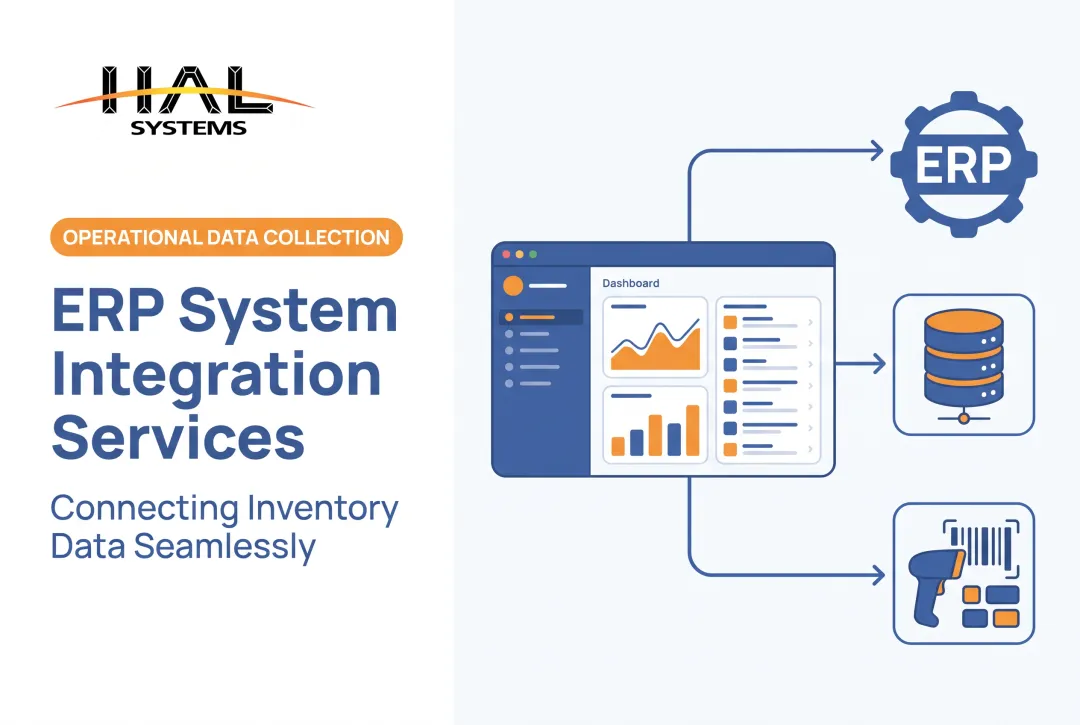
EDI only pays off once the data leaves the mailbox and reaches the systems that run your business. That means connecting partner transactions to ERP, warehouse management, inventory, manufacturing, shipping, eCommerce, and accounting workflows, so nothing sits idle waiting for someone to re-key it.
A few ways this plays out by role:
- A distributor turns an inbound purchase order directly into an inventory and fulfillment workflow
- A manufacturer connects material and work-in-process data to production schedules
- A 3PL keeps client records separated while processing receiving and shipping transactions
- A field-service organization links orders with equipment or service records
HAL Systems isn't a VAN or a standalone EDI network. Our configurable HAL Traxx software handles inventory, warehouse, asset-tracking, and manufacturing workflows.
In-house programmers build the interfaces that connect those workflows to ERP, factory automation, shipping, eCommerce, and accounting systems. They use APIs, ODBC, transfer files, and other methods suited to the project.
HAL Traxx's Inventory Control for Manufacturing, for example, interfaces directly with existing systems for purchase orders, work orders, and sales orders. Deployment runs on-premises or through Amazon Web Services, depending on what the project calls for.

If you're trying to figure out how a configurable operational platform might fit alongside your existing ERP, warehouse, shipping, eCommerce, accounting, or manufacturing environment, reach out to HAL Systems to talk through the specifics.
Frequently Asked Questions
How is EDI different from API?
EDI exchanges standardized B2B documents such as purchase orders and invoices. APIs enable more immediate, granular application-to-application communication. Many businesses use both, depending on the partner and use case.
What are popular EDI systems?
Options include standalone translators, VAN services, cloud platforms, managed services, web portals, and broader integration platforms. Compare standards support, protocols, mapping, monitoring, onboarding, security, and deployment rather than reputation alone.
What is EDI (electronic data interchange)?
EDI is the electronic, computer-to-computer exchange of structured business documents between trading partners using agreed standards and transmission methods. Common examples include purchase orders, invoices, and shipping notices.
How does EDI integration work with an ERP system?
The integration layer maps and translates data between ERP formats and partner-specific EDI documents, validates the messages, and transmits or receives them securely. Transaction results then feed back into the ERP workflow automatically.
What should you look for in an EDI integration solution?
Look for partner and standards support, strong mapping and validation, secure connectivity, monitoring and error handling, scalability, and reliable implementation support. Ongoing maintenance requirements matter just as much as initial setup.
Can small and mid-size businesses use EDI integration?
Yes. Cloud EDI, web EDI, managed services, or configurable integration approaches reduce the internal infrastructure burden. Still, check partner requirements, workflow fit, and long-term scalability before choosing an approach.