That confusion gets expensive fast. Misallocated stock, duplicate data entry, and picking errors all trace back to using the wrong tool for the job, or expecting one system to do work it was never built for.
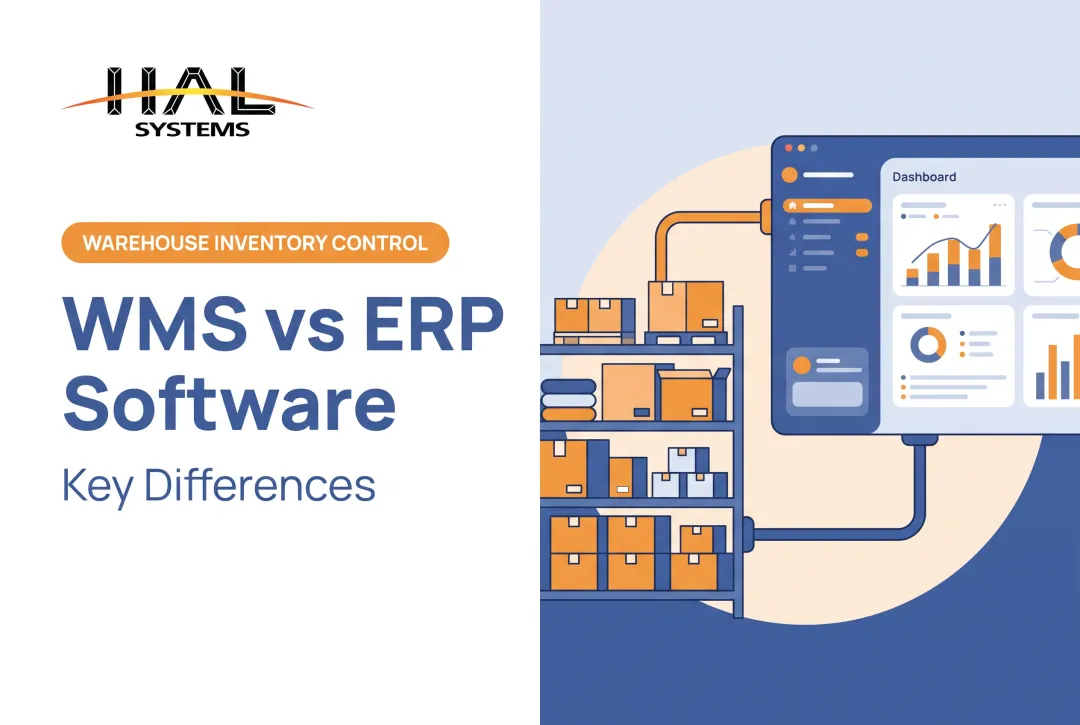
Here's the core distinction: ERP coordinates business-wide planning and records. WMS controls detailed warehouse execution. Both matter, but they answer different questions.
This article breaks down what each system actually does, where they overlap, and how distributors, manufacturers, 3PLs, field service organizations, and asset-focused teams can decide what they actually need.
Key Takeaways
- ERP covers finance, purchasing, sales, and inventory visibility; WMS controls warehouse floor activity in detail
- Simple warehouses may run on ERP alone; high-volume or barcode-driven ops often need dedicated WMS
- Native modules or integrations keep ERP planning data and WMS execution data aligned
- Choose based on process complexity and tracking needs, not headcount or warehouse count
What Is an ERP System?
Enterprise resource planning (ERP) software centralizes a business's core functions into one shared platform. Instead of finance, sales, and purchasing running on separate tools, everyone works from the same data.
Oracle's ERP guidance describes the typical feature set, and it's broader than most people realize. According to Oracle's ERP features guide, ERP platforms typically cover:
- Accounting and financial reporting: cash flow, payables, receivables
- Purchasing and supplier management: purchase orders, procurement planning
- Sales order processing: from capture through billing and delivery
- Inventory management: linked directly to purchasing and production
- Production planning: aligning manufacturing output with demand
Where ERP Touches the Warehouse
ERP answers questions like: What's on hand? What's on order? What should we purchase? What shipped, and how does that transaction hit the books? These are business-planning questions, not floor-execution questions.
Here's the nuance people miss: not every ERP is limited to basic stock counts. Some platforms include receiving, storage locations, picking, shipping, and inventory adjustments built right in. The depth varies enormously by product and configuration.
For small and mid-size businesses, this matters. You don't need enterprise-tier software designed for a Fortune 500 supply chain just to get integrated visibility into inventory and finance together. A right-sized system that connects those two worlds can do the job without the overhead.
What Is a Warehouse Management System?
A warehouse management system (WMS) focuses on one thing: controlling and optimizing the physical movement, storage, handling, and fulfillment of inventory inside your warehouse walls.
Where ERP asks "what do we have," WMS asks "where exactly is it, and what should happen to it next." That's the whole job.
A WMS typically supports the full warehouse process flow:
- Receiving and validation: confirming inbound shipments against expected orders
- Put-away and location assignment: directing items to specific bins, shelves, or zones
- Replenishment: moving stock from reserve to active picking locations
- Picking and packing: guiding workers through order fulfillment
- Shipping: generating documentation and confirming outbound loads
- Returns, cycle counting, and adjustments: keeping records current without full physical inventories
Barcode Scanning and Real-Time Capture
Barcode scanning, mobile devices, and RFID aren't the management system itself. They're data capture tools that feed it. A WMS uses that scanned data to update inventory status the moment an action happens, instead of relying on someone keying it in hours later.
This is also where location-level detail lives: bins, shelves, zones, lots, serial numbers, allocated versus available stock, and work-in-process. ERP typically tracks a quantity. WMS tracks exactly where that quantity sits and what's happening to it.
A Practical Walkthrough
Picture a worker receiving a pallet. A WMS scans it in, directs put-away to an open bin based on velocity rules, and updates availability instantly. When a sales order comes through, the same system guides picking by route, confirms the pick via scan, and triggers packing and shipping, all while office, customer service, and finance teams see updated status in real time.

HAL Systems built its HAL Traxx platform around exactly this kind of workflow. Its warehousing application automates receipts, orders, and deliveries while enforcing lot and date control. It uses cubing and weight data for storage and truck loading, and accepts barcode, RFID, or manual input depending on how a facility operates.
Advanced capabilities like directed put-away, wave picking, cross-docking, and labor assignment are what separate a true WMS from basic ERP inventory screens carrying similar feature names.
ERP vs. WMS: Key Differences
The two systems overlap in places, which is exactly why confusion happens. Both can touch receiving, inventory, picking, and reporting. But similar feature names don't guarantee equivalent operational depth.
| Factor | ERP | WMS |
|---|---|---|
| Primary purpose | Business-wide planning and records | Warehouse execution and control |
| Primary users | Finance, purchasing, sales, management | Warehouse staff, supervisors, pickers |
| Data depth | Quantities, transactions, financial impact | Locations, movements, allocations, scan confirmations |
| Operational timing | Periodic, transactional | Real-time, task-by-task |
| Core question answered | What do we own, owe, need, and sell? | Where is it, and what happens next? |
Why Inventory Accuracy Is the Real Stakes
This isn't an academic distinction. A controlled study covered by ECR Retail Loss, examining more than 24,000 SKUs across UK grocery stores, found that correcting inventory records produced roughly 11% higher store-wide sales over the following two months, according to ECR Retail Loss research.

The study's authors note this reflects disciplined inventory accuracy, not a guaranteed software outcome. It still shows why tracking depth matters.
Deployment Choices
Businesses generally pick from three architectures:
- Standalone WMS connected to ERP: two systems, integrated data flow
- WMS module built into the ERP: single platform, shared database
- Configurable platforms: warehouse functionality built to integrate with external business systems as needed
HAL Traxx falls into that third category. Its software blocks can function as a WMS, an inventory management tool, a work-in-process solution, or a combination, then connect to ERP, accounting, or shipping systems through APIs, ODBC, or transfer files.
How ERP and WMS Work Together—and Which Do You Need?
When both systems are in play, data typically flows in three steps:
- The ERP (or an order management tool) receives the order
- The WMS allocates stock and executes fulfillment
- The WMS reports shipment, inventory, and exception updates back to the ERP
That synchronization produces real operational benefits:
- Fewer duplicate entries across systems
- Reduced transfer errors between order capture and fulfillment
- Consistent inventory availability shown to sales and customer service
- Clearer order status visibility company-wide
- Better reporting across finance, purchasing, production, and the warehouse floor
When ERP Alone Is Probably Enough
- Simple, single-facility warehouse layout
- Modest process complexity, low SKU volume
- Limited need for location-level tracking
- Little or no reliance on directed picking
- Priority on centralizing business and inventory records in one place
Signs You Need Dedicated WMS Functionality
- Recurring picking or shipping errors
- Poor visibility into where stock actually sits
- Multiple warehouses or storage facilities
- High transaction volume or complex lot/serial tracking requirements
- Labor bottlenecks during peak fulfillment
- 3PL operations needing client-separated inventory records
- Growing barcode or mobile scanning requirements
This is where a configurable approach like HAL Traxx fits a specific niche. It can serve as a warehouse, inventory, asset tracking, or work-in-process solution, and it integrates with ERP, accounting, shipping, and eCommerce systems. It is not a universal replacement for every ERP or WMS. It is a flexible middle path for businesses whose needs don't match an off-the-shelf tier-1 system.
Before requesting any vendor demo, document your current workflows. Map your pain points, required tracking detail, existing software, integration needs, budget, internal IT capacity, and growth plans. That homework makes every subsequent conversation more productive.

Implementation and Selection Considerations
Software selection should start with process mapping, not feature lists. Document your current receiving, storage, replenishment, picking, packing, shipping, returns, cycle counting, production, and asset-tracking workflows before you evaluate anything.
What to Look for in a System
- Barcode and mobile device support
- Location and inventory controls, including lot and serial tracking
- Multi-warehouse capability
- ERP and accounting integration options (APIs, ODBC, EDI)
- Reporting depth and user permission controls
- Deployment flexibility (cloud or on-premises)
- Scalability, training, and ongoing support
Implementation Priorities
According to MHI's rollout guidance, fit the software to the operation rather than assuming the biggest-name provider is automatically the right one. Successful implementations depend on a dedicated project team, integration planning, worker training, and post-launch support, not just licensing.
Practical priorities include:
- Clean item and location data before go-live, not after
- Clear ownership of master records across departments
- Realistic testing scenarios that mirror actual peak workloads
- Phased rollout where facility size or complexity warrants it
- Post-launch measurement of accuracy, fulfillment speed, and exceptions
HAL Systems approaches this with a process-first methodology, often starting with Lean and Six Sigma consulting to identify inefficiency before touching software configuration.
Its software blocks can be added or rearranged without custom code. Deployment runs on-premises or via AWS cloud hosting, and support comes directly from the team that builds the product, available 24/7.
Frequently Asked Questions
What is ERP in warehouse management?
ERP connects warehouse inventory and order activity with broader functions like purchasing, accounting, sales, and reporting. How deep its actual warehouse execution goes depends entirely on that specific ERP's capabilities.
What is the difference between an ERP and a warehouse management system?
ERP manages business-wide planning, finance, and records. WMS specializes in controlling receiving, storage, picking, packing, shipping, and real-time inventory movement inside the warehouse itself.
Can an ERP replace a WMS?
For simple warehouse operations, often yes. But complex fulfillment, detailed location control, barcode-driven workflows, or high transaction volumes usually require dedicated WMS functionality that most ERP inventory modules don't provide.
When should a business add a WMS to its ERP?
Watch for recurring inventory discrepancies, frequent picking errors, poor location visibility, multiple facilities, or warehouse processes that have simply outgrown what the ERP can handle.
Can ERP and WMS systems be integrated?
Yes, through either a native WMS module built into the ERP or a standalone WMS connected via integration. That connection exchanges orders, inventory updates, shipment confirmations, and exception data between the two systems.