Barcode inventory management software should do more than read labels. It connects every scan to item records, warehouse locations, open orders, asset status, production activity, and the reports your team relies on to make decisions. Without that connection, you're just collecting data nobody acts on.
US distributors, manufacturers, retailers, field service crews, 3PLs, and asset managers all run into the same operational headaches: manual data entry, uncertain stock counts, misplaced inventory, and software systems that don't talk to each other. This article shortlists five platforms worth evaluating, explains the selection criteria behind that list, and gives you the questions to ask before signing a contract.
Key Takeaways
- Barcode software should trigger workflows and update records after a scan, not just capture a number
- The right platform depends on your operation: retail, distribution, manufacturing, and 3PL workflows all differ
- Prioritize barcode support, receiving and counting workflows, integrations, multi-location visibility, and total cost of ownership
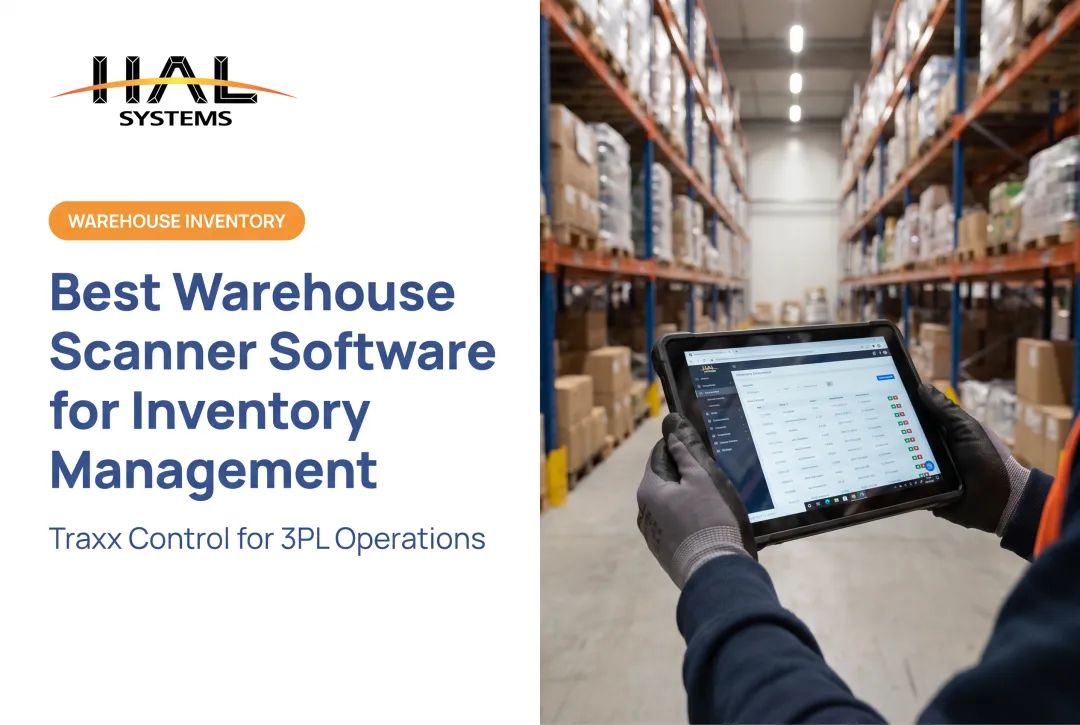
- HAL Traxx suits organizations needing inventory, asset, warehouse, or work-in-process functionality built around specialized processes
Overview of Barcode Inventory Management Software in the US Market
Barcode inventory management software links barcode labels and scanning hardware to item records, quantities, locations, and transactions. Scan a tote moving into a bin, and the system should log the move, update availability, and make that change visible to everyone else looking at the same data.
A complete barcode system typically includes several pieces working together:
- Barcode symbologies such as UPC, EAN, Code 128, or GS1 formats
- Scanners or mobile devices, handheld or wearable, wired or wireless
- Label printers for internal SKU tags, location labels, or asset tags
- Inventory software that interprets scans and runs workflows
- Network connectivity and integrations with ERP, accounting, ecommerce, shipping, POS, or factory systems
Where Barcode Scanning Actually Gets Used
Most of the daily value shows up in a handful of repeatable workflows:
- Receiving against a purchase order and put-away
- Picking and issuing materials to production
- Work-in-process tracking
- Transfers between locations
- Cycle counting and annual fixed-asset audits
- Asset check-in/check-out
Each workflow benefits from a scan replacing a handwritten note or a typed entry.
Adoption data backs up the shift away from manual processes. Research from GS1 US's VDC study surveyed 400 US-based manufacturing, retail, transportation, and hospitality organizations. The study found persistent legacy workarounds and demand for richer lot, expiration, and serial data. That's a measure of ongoing frustration, not a guaranteed ROI figure for any single platform.

The five options below aren't ranked on a single universal scale. They're organized around different business needs, because a system built for retail checkout rarely fits a job-shop manufacturer tracking work-in-process.
Top Barcode Inventory Management Software for US Businesses
This shortlist weighs workflow coverage, barcode support, deployment flexibility, integration potential, scalability, reporting, and fit across different business sizes and industries.
HAL Traxx
HAL Systems has built configurable business software since 1983, with a focus on inventory, asset tracking, warehouse management, manufacturing, and specialized applications that don't fit a one-size-fits-all mold. The company is based in the Atlanta, Georgia area and works with organizations across the US and beyond.
HAL Traxx stands out for one specific reason: it's built from configurable software blocks rather than a fixed feature set. Organizations can arrange those blocks to match their actual process sequence instead of forcing their workflow into someone else's software logic. That matters for operations with unusual or evolving needs, including distribution, manufacturing, field service, public-sector asset programs, 3PL warehouses, and multi-facility operations.
The platform accepts barcode, RFID, lookup, or manual input, individually or combined, and runs in a web browser on handhelds, tablets, and smartphones across Windows, iOS, Android, or Linux. HAL Systems' in-house programmers build integrations with ERP, factory automation, shipping, ecommerce, and accounting systems using APIs, ODBC, or transfer files.
| Attribute | Detail |
|---|---|
| Best fit | Organizations with specialized, evolving, or multi-industry workflows |
| Core use cases | Inventory control, asset tracking, warehouse management, WIP manufacturing, track & traceability |
| Deployment | On-premises or cloud (AWS-hosted SaaS) |
| Integration | API, ODBC, EDI, or transfer files built by in-house programmers |
| Customization | Configurable software blocks; add features without a platform upgrade |
| Support | 24/7 technical support plus a trained reseller network for local implementation |
HAL Systems also offers process-optimization services led by an ASQ Certified Six Sigma Black Belt, which can matter for organizations trying to reduce the direct labor tied to inventory transactions.
inFlow Inventory
inFlow Inventory targets small and mid-size businesses that need accessible inventory, order, barcode scanning, and label-generation tools without a steep learning curve. It suits distributors, small manufacturers, stockrooms, and field service teams moving off spreadsheets.
Official guidance covers UPC/EAN formats and GS1 Digital Link QR codes, with Android/iOS camera scanning and external scanner support. inFlow generates internal barcode values and prints supported GS1 QR labels, and requires an internet connection to work.
| Attribute | Detail |
|---|---|
| Ideal size | Small to mid-size businesses |
| Barcode workflows | Mobile scanning, label generation, UPC/EAN and GS1 QR support |
| Integrations | Shopify, Amazon, QuickBooks Online |
| Deployment | Cloud-based, internet-connected |
| Pricing structure | Lite, Core, Pro, and Max tiers with varying user/location limits |
| Trial | 14 days, no credit card required |
Check inFlow's pricing page for current tier details, since onboarding is mandatory on most plans and affects total cost.
Fishbowl Inventory
Fishbowl fits small and mid-size manufacturers and distributors that need inventory control tied to manufacturing, work orders, or accounting. It targets businesses with roughly 10 to 200 employees that have outgrown spreadsheets but aren't ready for a tier-1 ERP.
Fishbowl offers two distinct product lines worth comparing by name, not just brand: Fishbowl Inventory (cloud-based) and Fishbowl Advanced, which adds bills of materials, MRP, and work orders with hosted or self-managed deployment. Advanced also covers serial numbers, lots, revisions, and expiration dates at the component level.
| Attribute | Detail |
|---|---|
| Manufacturing fit | Work orders, BOM, MRP (Advanced edition) |
| Barcode operations | PO-based receiving, guided picking, packing, shipping |
| Accounting integration | Two-way QuickBooks sync; Advanced supports QuickBooks Desktop |
| Deployment | Cloud (Inventory); hosted or self-managed (Advanced) |
| Pricing | Essentials, Growth, Scale tiers (Inventory); quote-based (Advanced) |
| Key limitation | Traceability scope differs significantly between editions |
Zoho Inventory
Zoho Inventory suits smaller businesses prioritizing affordability, ecommerce and marketplace connections, and integration with the broader Zoho ecosystem, including Zoho Books, CRM, and Analytics.
Barcode and QR label generation can pull from SKU, EAN, UPC, or ISBN fields, with serial and batch support. Multiple warehouses and bin-level storage are supported, though bin availability and capacity depend on your plan tier.
| Attribute | Detail |
|---|---|
| Best fit | Small ecommerce and multichannel sellers |
| Barcode features | Linear and QR label generation, SKU/serial scanning |
| Warehouse support | Multi-warehouse with plan-dependent bin locations |
| Integrations | Zoho Books, CRM, Analytics, Amazon, Shopify |
| Plan tiers | Free, Standard, Premium, Plus, Enterprise |
The basic plans work for simple scanning needs. Bin-level warehouse control, advanced manufacturing, or asset tracking will likely require stepping up tiers or looking elsewhere entirely.
Odoo Inventory
Odoo Inventory appeals to organizations that want barcode operations bundled with sales, accounting, manufacturing, and purchasing inside one modular platform. Barcode workflows cover receipts, deliveries, transfers, and counts, with lot/serial and GS1 support built into the Manufacturing app.
The trade-off is complexity. Odoo's pricing runs from a free single-app tier through Standard and Custom, all-app plans billed per user. Custom plans support Odoo Online, Odoo.sh, or on-premise hosting, and Odoo.sh hosting carries its own cost.
| Attribute | Detail |
|---|---|
| Barcode workflows | Receipts, deliveries, transfers, inventory counts |
| Manufacturing/traceability | Lot/serial tracking, GS1 support, production scheduling |
| Deployment | Odoo Online, Odoo.sh, or on-premise |
| Pricing structure | One App Free, Standard, Custom (per-user) |
| Customization | High, but requires partner support and ongoing maintenance |
Implementation partners, data migration, configuration, and training sit outside the subscription fee. Budget for them separately. Readers with highly specialized workflows should weigh configurable platforms like Odoo or HAL Traxx against simpler inventory apps before committing, since flexibility and implementation effort tend to move together.

How We Chose the Best Barcode Inventory Management Software
A good evaluation focuses on operational fit and measurable outcomes, not the length of a feature list or the lowest monthly price. Here's what actually matters.
- Barcode and hardware support: Confirm compatibility with 1D and 2D barcodes, USB and Bluetooth scanners, mobile devices, label printers, and your SKU/location labels.
- Workflow coverage: Check support for receiving, put-away, picking, packing, transfers, cycle counting, adjustments, returns, asset check-in/check-out, work-in-process, and lot or serial tracking.
- Data and integration quality: Verify scans update records promptly and that the system connects to your ERP, accounting, POS, ecommerce, or shipping tools without duplicate data entry.
- Scalability and configuration: Weigh added users, SKUs, warehouses, clients, and permissions, and whether workflows can adapt as the business changes.
- Total cost of ownership: Add up licensing or subscription fees, hardware, label supplies, integrations, migration, training, and support, not just the sticker price.
The ASCM warehouse management guide flags barcode/system integration, staff training, and change management as recurring factors in selection decisions, alongside demand flexibility and continuing upgrades.
Common Selection Mistakes to Avoid
- Choosing based on scanner compatibility alone - readable barcodes don't guarantee the software parses the encoded fields correctly
- Assuming every system supports warehouse locations - many basic tools track quantity, not bin-level position
- Overlooking offline or connectivity requirements - a dead zone in your warehouse can stall operations
- Skipping tests with damaged or worn labels - real-world labels aren't always pristine
- Underestimating staff training and process redesign - new software rarely fits old habits perfectly

Before signing anything:
- Document your current workflows
- Build a representative test dataset
- Run receiving and counting pilots
- Test your actual integrations
- Involve the people who'll use the system daily
- Request a realistic implementation timeline
Conclusion
The best barcode inventory management software matches your workflows, industry requirements, existing systems, budget, and growth plans. Brand familiarity alone is a weak reason to choose a platform.
Compare how each candidate handles real transactions:
- Receiving and location moves
- Picking and cycle counts
- Asset transfers and manufacturing consumption
- Reporting and exception handling
Generic demos rarely surface the gaps that matter later.
If your processes are complex or don't fit a standard template, prioritize configurable platforms, flexible deployment, solid integration support, and long-term service over a long feature checklist.
HAL Systems has spent over four decades configuring inventory, asset, warehouse, and manufacturing software around non-standard operations. Contact HAL Systems at 770-927-0700 or sales@halsystems.com to discuss whether HAL Traxx fits your barcode inventory, asset tracking, or warehouse requirements.
Frequently Asked Questions
How much does a barcode system cost?
Total cost includes software licensing, scanners, mobile devices, label printers, labels, implementation, integrations, training, and ongoing support. Costs vary significantly by platform and scope, so request current pricing directly from vendors rather than relying on a universal estimate.
What is the best barcode software for retail stores?
Retail-focused software should offer POS integration, fast checkout scanning, product and price lookup, stockroom transfers, multi-location visibility, and ecommerce sync. The right choice depends heavily on your store size and sales channels.
What is the best barcode inventory system for small businesses?
It depends on SKU volume, user count, locations, and growth plans. Simple cloud inventory tools work well for basic scanning needs, while more configurable systems suit businesses with manufacturing, asset tracking, or unusual workflow requirements.
What is the best software for generating barcodes?
Most inventory software can generate internal barcode labels for your own warehouse or stockroom. Products sold through retail or marketplace channels typically need properly licensed GS1 identifiers instead of internally generated codes.
What type of barcode do retail stores use?
UPC-A is standard for North American retail point-of-sale, with EAN-13 common outside North America. The exact format depends on your selling region, product type, and whether the code serves external sales or internal inventory tracking.
Which barcode scanner is best for a retail store?
Fixed checkout counters often favor wired or presentation scanners, while stockrooms and cycle counts typically need wireless or mobile devices. Prioritize compatibility with your software, barcode types, scanning volume, and durability needs before choosing hardware.