Integral warehouse management ties people, procedures, inventory data, equipment, and business systems into one coordinated operating model. The warehouse stops being an isolated storage function and becomes part of the order-to-cash and procure-to-pay flow.
This guide covers core warehouse processes, system integration, KPIs, and WMS selection. It also shows how the approach plays out for distributors, manufacturers, 3PLs, field service firms, and institutional asset teams.
Key Takeaways
- Integral warehouse management coordinates goods, data, labor, and locations from receiving through returns.
- Barcode scanning, clean master data, and integrated systems cut re-entry and improve visibility.
- Choose a WMS based on real workflows, integrations, scalability, and implementation support.
- Baseline your KPIs, review exceptions, and keep adjusting processes.
What Is Integral Warehouse Management?
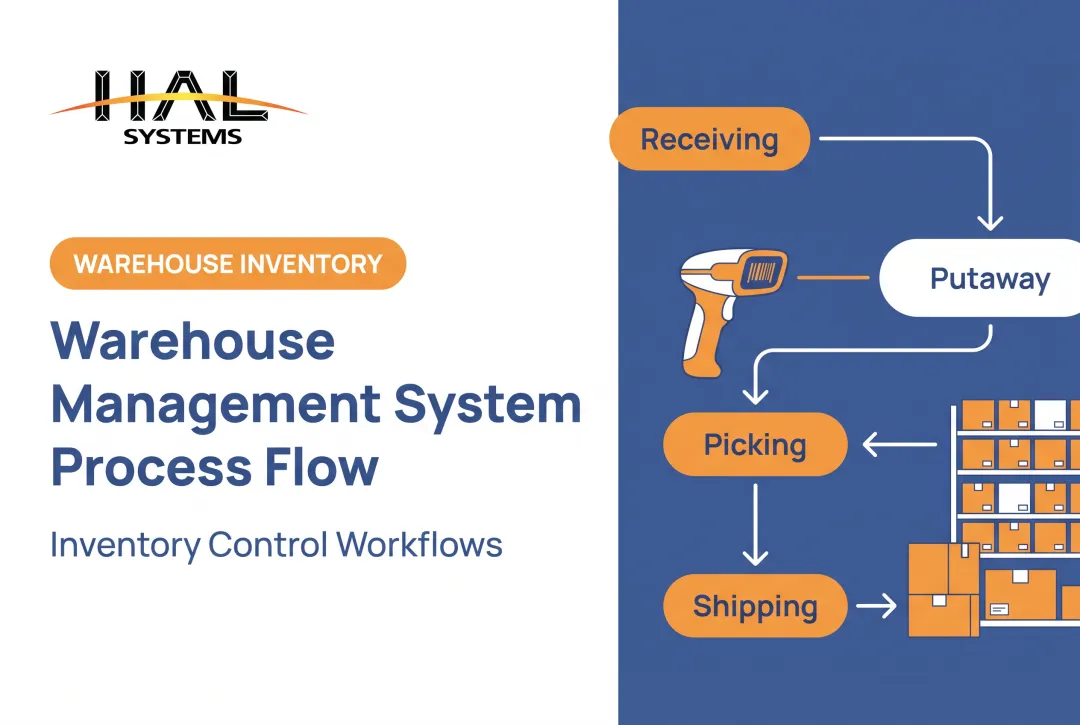
ASCM describes warehouse management as the activities inside a warehouse: receiving, storing, picking, packing, and shipping. Add putaway, replenishment, counting, and returns, and you have the full execution scope.
Three Levels of Control
- Basic inventory management tracks quantities, often in spreadsheets or an accounting package.
- A warehouse management system (WMS) directs and records work by location, task, and user.
- Integral (integrated) warehouse management connects that execution layer to ERP, accounting, order management, manufacturing, shipping, eCommerce, and asset systems.
CSCMP calls logistics an integrating function that links activities with manufacturing, finance, IT, marketing, and sales. Integral warehouse management applies the same idea at the warehouse level.
How It Differs by Operation
- Distributors manage stocked products, replenishment, and order fulfillment.
- Manufacturers track raw materials, components, and work in process (WIP).
- Field service firms track tools across vehicles and job sites.
- Public institutions audit tagged fixed assets.
- 3PLs separate inventory by client, with different rules for each.
The Core Warehouse Management Processes
Receiving, Inspection, and Putaway
Accurate receiving starts before the truck arrives. Purchase orders and advance shipment notices give the dock something to verify against: item IDs, quantities, condition, and lot or serial data. Anything that doesn't match becomes a logged exception, not a note on a clipboard.
Putaway then assigns stock to a location by item characteristics, demand, storage requirements, and open capacity. Rules can go further. HAL Traxx, for example, can restrict heavy pallets to tow-motor-qualified employees or ground-floor storage, and can photograph supplier material damage to support replacement claims.
Inventory Control and Traceability
Good control covers:
- Location-level records
- Available versus reserved stock
- Lot and serial tracking
- Transfers and adjustments
Cycle counting reconciles physical stock to system records continuously rather than once a year. In Microsoft's WMS process, counts create work, and differences can go to pending review before anything is adjusted.
Barcode labels and mobile scanning make each move an auditable transaction. That removes reliance on paper and memory.
Replenishment and Order Picking
The picking method should match order volume, SKU profile, layout, and service levels.
| Method | How it works | Fits when |
|---|---|---|
| Single-order | One order at a time | Low volume, large or complex orders |
| Batch | Several orders picked together | Orders share items or pick paths |
| Zone | Pickers work designated zones | Large footprints, consolidated staging |
| Wave | Work released by ship date, carrier, or zone | Scheduled cutoffs and carrier pickups |
Replenishment triggers keep pick faces stocked:
- Min/max levels
- Demand patterns
- Production needs
- Station shortages
When replenishment lags, pickers stop at empty slots, orders wait, and someone makes an emergency trip that nobody planned.
Packing, Shipping, and Handoff
Packing and shipping follow a clear sequence:
- Verify the order at packing
- Select packaging
- Generate labels and shipping documents
- Choose the carrier and confirm shipment

Integrations with order, shipping, and accounting systems then pass tracking and status along without duplicate entry.
Returns, Quality Checks, and Exceptions
A standard returns flow covers:
- Authorization and receipt
- Identification and condition assessment
- Disposition: restock, repair, quarantine, or dispose
Exceptions need the same discipline. Shortages, damage, wrong items, failed scans, address problems, and count discrepancies belong in a workflow with an owner, not a hidden spreadsheet.
Manufacturers and field service teams can extend these controls to WIP moves, tool check-in/check-out, equipment transfers, and asset audits.
How Integrated Warehouse Systems Connect Operations
Establish a Connected Architecture
Each system has a job. ERP and accounting handle orders and financials. The WMS executes warehouse work. Shipping tools, eCommerce channels, production systems, and asset trackers feed and consume the same data.
Microsoft's external-ERP model shows the split: ERP sends shipment orders and the WMS executes the work and returns receipt and packing information for follow-up such as invoicing. Define which system owns each data type, and how each transaction travels.
Connect Transactions to Business Systems
A typical flow looks like this:
- Purchase orders flow into receiving.
- Confirmed receipts update inventory and accounting.
- Sales orders create picking work.
- Shipment confirmations update customer and financial records.

Integration methods depend on what each system supports and on security requirements:
- EDI: the X12 945 Warehouse Shipping Advice reports shipments and reconciles ordered versus shipped quantities.
- APIs: web services for real-time exchange.
- File transfer: flat files or Excel uploads, often over SFTP.
- ODBC: a common database interface, used where access is permitted.
HAL Systems builds real-time file-upload, API, EDI, and ODBC interfaces with ERP, accounting, and factory systems to remove duplicate manual entry.
Capture Data at the Point of Work
Scanners, mobile computers, label printers, and optional RFID capture transactions where work happens instead of at an office keyboard. Practical uses include:
- Receiving and putaway
- Picking and packing
- Cycle counts
- Production-floor transfers
- Tool checkout and fixed-asset audits
Scanning isn't magic, though. A GS1 US/VDC survey of 400 US organizations documented scan failures, wrong-barcode risks, and missing product attributes. Label quality and data quality matter as much as the scanner.
Govern Master Data
Keep these consistent across every connected system:
- Item numbers, descriptions, and units of measure
- Locations and status codes
- Customer or client identifiers
- Lot and serial rules
- User permissions
Map fields, clean duplicates, add validation rules, assign data owners, and monitor for failed or delayed transactions. Microsoft documents that missing owner mappings fail messages and that incorrect consumption logs can double-update inventory. These are exactly the problems monitoring should catch.
Plan for Integration Risk
Common trouble spots include:
- Legacy-system incompatibility
- Inconsistent naming
- Duplicate transactions
- Unreliable Wi-Fi
- Unclear ownership
- Over-customization
Build safeguards into the project so a failed interface does not stop the floor. Reduce disruption with:
- A pilot before full rollout
- Interface and user acceptance testing
- Error queues that surface failed messages
- Rollback procedures
- Documented manual contingencies
Evaluate advanced automation only after inventory, order, and location data is dependable. Automating bad data just makes bad data faster.
Benefits, KPIs, and Common Challenges
What Integration Improves
- Inventory visibility across sites and departments
- Fewer manual handoffs
- More consistent receiving and picking
- Better use of labor and space
- Faster exception resolution
- Stronger customer and internal service
HAL Systems reports that direct labor for inventory transactions is typically reduced by 25–65% in its implementations, with duplicate entry eliminated. Treat that as a vendor figure and validate against your own baseline.
KPIs to Track
Baseline each one before changing anything.
| KPI | Formula or definition |
|---|---|
| Inventory accuracy | Matching counted items / counted items x 100 |
| Pick rate | Lines picked and shipped per person-hour |
| Order cycle time | Shipped timestamp minus order timestamp |
| Dock-to-stock time | Hours from supplier receipt to putaway |
| Perfect order rate | Perfect orders / total orders x 100 |
| Stockout rate | Items out of stock / items shipped x 100 |
| Return processing time | Days from customer release to final disposition |
| Order error rate | Mispicks / total picks x 100 (picking subset) |
For context, APQC's benchmarks show a median inventory accuracy of 95.0% across 8,660 organizations and a median dock-to-stock time of 15.0 hours. APQC doesn't disclose data years, and these are cross-industry medians, so use them as reference points rather than targets.

For asset teams, add asset accountability: tagged assets located versus assets on record.
Challenges and Fixes
- Poor master data: assign owners and run cleanup before go-live.
- Employee resistance: involve users early and collect feedback.
- Unsafe processes: build authorizations into workflows. OSHA 1910.178 requires trained and evaluated forklift operators.
- Thin training: train by role, using real scenarios.
- Weak wireless coverage: run a site survey and Wi-Fi diagnostics.
- Unclear process ownership: name one owner per process.
- Unreviewed exceptions: hold a recurring exception review and feed findings back into standard work.
How to Choose and Implement the Right WMS
Define Requirements First
Build a checklist before you see a single demo. Cover:
- Locations and SKU or asset traits
- Receiving through returns
- Lot and serial traceability
- WIP and multi-client inventory
- Reporting, user roles, and audit history
Then separate essentials from nice-to-haves. For each requirement, document the business problem, users, transaction volume, and exception rules.
Evaluate Integration and Deployment
List every system the WMS must connect to: ERP, accounting, manufacturing, eCommerce, shipping, EDI, procurement, asset, and automation. Ask which APIs and file options exist and who owns the data.
On deployment, Gartner reports more than 85% of new customers prefer cloud when economics are reasonable, yet only a little over 35% of completed deployments are cloud. Preference isn't reality.
Compare cloud and on-premises on connectivity, security, IT staffing, customization, updates, continuity, and long-term cost.
Test Usability and Scalability
Demand demos with your scenarios: receiving, picking, counting, adjustments, returns, asset checkout, and reports. Generic feature tours hide weak spots.
Also ask whether the system can add warehouses, clients, product lines, or integrations without a platform replacement.
Treat Implementation as Operational Change
A phased roadmap works best:
- Document current processes.
- Clean master data.
- Configure and build integrations.
- Prepare hardware and wireless coverage.
- Pilot, then run user acceptance testing.
- Train users.
- Cut over with a rollback plan.
- Review after launch.

Assign executive, warehouse, IT, finance, and implementation owners. Microsoft's guidance calls for mock cutovers, validation sign-off, and a formal go/no-go decision. Gather user feedback and address resistance before go-live, not after.
Where Configurable Software Fits
HAL Traxx from HAL Systems is one option to evaluate against your documented requirements, not a universal fit. It is configurable software that can serve as a warehouse management, inventory, asset tracking, or WIP solution, and it integrates with ERP, shipping, eCommerce, and accounting systems.
It runs in a browser on handhelds, tablets, and smartphones, with on-premises or AWS-hosted deployment, and licensing is upfront or annual SaaS. HAL Systems has built software since 1983 and offers Lean and Six Sigma process consulting.
When comparing vendors or implementation partners, look at:
- Support responsiveness
- Integration expertise
- Process-improvement capability
- Deployment flexibility
- Training and documentation
- Ability to keep adapting the system as operations change
Your next step is simple. Map the current workflow, find the costliest or most error-prone handoffs, baseline your KPIs, and use those findings to prioritize a pilot or software evaluation.
Frequently Asked Questions
What is warehouse management?
It is the organization and control of inventory storage, movement, and order fulfillment within a warehouse, including receiving, shipping, counting, and returns.
What is integrated logistics management?
It coordinates warehousing with purchasing, inventory, order processing, transportation, manufacturing, and customer delivery through shared processes and connected data.
What is a warehouse management system?
A WMS is software that directs and records warehouse activity: locations, inventory movements, receiving, picking, shipping, counts, and reporting.
How does a WMS improve inventory accuracy?
Scanning, controlled transactions, location records, cycle counts, and validation rules catch errors at the source. Real-time updates keep connected systems aligned. No tool guarantees a specific accuracy level.
What should small and midsize warehouses look for in a WMS?
Look for ease of use, configurable workflows, barcode support, needed integrations, flexible deployment, useful reporting, room to scale, implementation help, and total cost of ownership.