This isn't a minor annoyance. It's a visibility problem, and it compounds every time equipment, vehicles, tools, or IT devices change hands without a reliable record.
Asset tracking captures an asset's identity, location, status, custodian, and movement history. Asset management uses that data to make decisions across the asset's entire life, from purchase to disposal. One feeds the other. Without accurate tracking data, asset management decisions are just guesswork.
This article covers how tracking systems function, which asset types organizations typically monitor, the technology options available, and what a practical rollout looks like.
Key Takeaways
- Asset tracking identifies and monitors physical or digital assets through tags, scanners, software, and a central register
- Management goes further, covering planning, maintenance, compliance, utilization, and disposal
- Technology choice depends on asset environment, movement patterns, accuracy needs, and budget
- Reliable asset data strengthens accountability, maintenance planning, audits, and resource utilization
What Is Asset Tracking and Management?
Asset tracking, in plain terms, means knowing what you own, where it is, and who's responsible for it right now. Organizations typically track:
- Equipment and tools used in daily operations
- Vehicles and mobile field equipment
- Machinery on production floors
- IT devices like laptops and servers
- Fixed assets such as furniture and infrastructure
- Work-in-process items moving through manufacturing
Asset management goes further. It's the discipline of maximizing value across an asset's entire lifecycle, from acquisition through disposal. The International Asset Management standards frame this as "coordinated activity to realize value from assets," balancing cost, risk, and performance.
Assets Versus Inventory
These terms get mixed up constantly, but the distinction matters. Assets are resources a business uses to operate: a forklift, a laptop, a hospital bed. Inventory is held for sale, production, or consumption, meaning it gets used up or sold off.
A manufacturer's CNC machine is an asset. The steel stock it cuts is inventory. Asset tracking follows an individual item's history and accountability. Inventory management tracks stock quantities, replenishment, and order fulfillment—a different workflow entirely.
How Tracking Feeds Management
Asset tracking supplies the raw data: current location, condition, ownership, usage patterns, and maintenance history. Asset management turns that data into decisions.
Example: A distributor purchases a forklift. The asset record captures the purchase date, serial number, and warranty terms. Over the next three years, the record logs every transfer between warehouses, each maintenance visit, and repair history.
When the forklift nears end of life, that complete record informs the replacement decision and supports depreciation schedules. Without the tracking data, the management decision is a shot in the dark.
HAL Systems built HAL Traxx around this exact connection. The platform tracks tools, equipment, and furnishings while also managing calibration, condition, and service records, so the tracking data and the management decisions live in one place rather than two disconnected systems.
How Does an Asset Tracking System Work?
Every asset tracking system follows the same five-step workflow:
- Identify – Assign a unique ID to the asset
- Capture – Attach a tag, label, or identifier
- Record – Scan or detect it, creating an entry in the central database
- Update – Log every transaction that changes its status or location
- Report – Use the accumulated data for decisions
Core System Components
A functioning system needs several pieces working together:
- Asset tags or identifiers (barcode, RFID, QR code)
- Readers or mobile devices that capture the identifier
- Tracking software that houses the central database
- User workflows that define who updates what, and when
A typical asset record includes:
- Asset ID and serial number
- Description and current location
- Assigned custodian and condition notes
- Purchase details and warranty status
- Maintenance events and disposal status once retired
Transactions That Update the Record
Every time an asset moves or changes state, a transaction should update the record:
- Receiving a new asset into inventory
- Checking an asset in or out
- Transferring between locations or departments
- Assigning to a specific employee or crew
- Logging inspections, repairs, or cycle counts
- Retiring the asset at end of life
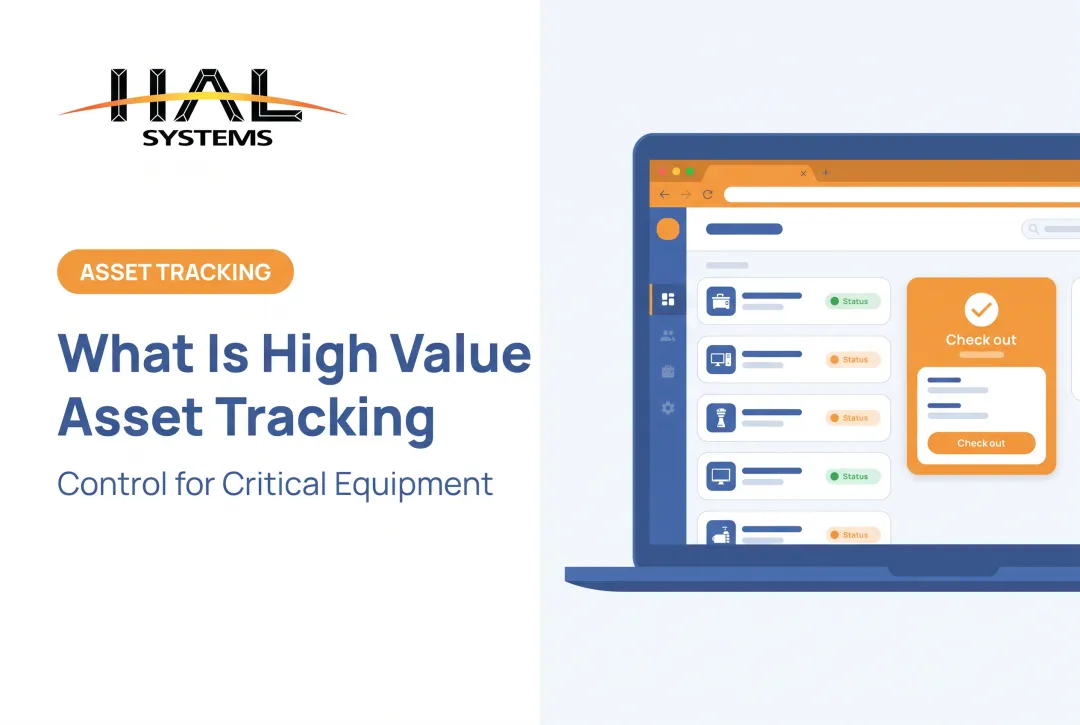
HAL Traxx's Check In/Check Out application captures location and checkout duration automatically, and it can restrict a checkout entirely if an asset's calibration or repair status doesn't clear.
The system doesn't just record that equipment left the building. It enforces the rule that out-of-calibration equipment shouldn't leave at all. It also captures images at check-out and return, so condition disputes have a visual record instead of a memory.
Walking through it: A field service company scans a torque wrench in the warehouse, assigning it to a crew heading to a job site. The system logs the custodian and timestamp. When the crew returns, they scan the tool back in. If the wrench was due for calibration during that window, the system flags it before it can be checked out again, rather than relying on someone remembering to check a spreadsheet.

Manual recordkeeping doesn't scale to this level of detail, and the gap shows up in audit numbers. Cambridge University Hospitals replaced manual device tracking with RFID-based records and reported average ward audits dropping from 90 minutes to 8 minutes, according to a GS1 case study. That's not a universal benchmark for every organization, but it illustrates the scale of improvement automated capture can deliver over manual logs.
What Types of Assets Can Organizations Track?
Not every asset behaves the same way, and tracking approaches should reflect that.
| Asset Category | Examples | Typical Tracking Need |
|---|---|---|
| Fixed assets | Machinery, furniture, infrastructure | Annual audit, depreciation record |
| Mobile assets | Vehicles, tools, field equipment | Location, custody, check-in/out |
| IT assets | Laptops, servers, network devices | Assignment, configuration, lifecycle |
| Production assets | Raw materials, components, WIP | Movement through process stages |
Consumables versus durable assets: A reusable storage container needs an individual history: who used it, when it was repaired, where it sits. A box of disposable gloves doesn't. Consumables belong in inventory replenishment workflows, not individual asset records. Mixing the two creates unnecessary data overhead.
Software Licenses and Cloud Resources
Digital and cloud assets, such as software licenses, subscriptions, and cloud resources, need different discovery methods than physical equipment. You can't scan a barcode on a cloud server.
NIST's IT asset management guide ties physical identifiers to network-level discovery tools and configuration-reporting agents. That approach is a different mechanism entirely from tagging a wrench.
Industry-specific applications:
- Distributors track equipment and materials across multiple warehouse locations
- Manufacturers track serialized components through production with HAL Traxx's work-in-process monitoring
- Healthcare facilities track medical equipment, furnishings, and supplies, and some systems upload required device data to federal databases
- Field service and construction firms manage tools, IT equipment, and even specialized items like emergency-response gear or voting machines
- Public-sector teams maintain fixed-asset registers for annual compliance audits
What Are the Benefits and Use Cases of Asset Tracking and Management?
Centralized, current asset records change how an organization answers basic operational questions: what do we own, where is it, who's responsible, and is it available right now?
Maintenance and Downtime Reduction
Service dates, usage history, and condition records feed preventive maintenance schedules. Instead of waiting for equipment to fail, teams service it on a timeline driven by actual usage data.
East Kent Hospitals connected RFID identifiers to maintenance records and reported 98% compliance for very high-risk device servicing, according to GS1's reference book. That figure applies to their high-risk device category, not general accuracy, and still shows what connected maintenance data can achieve.

Accuracy and Audit Trails
Barcode and RFID workflows cut repeated manual entry. Every scan creates a timestamped record rather than a handwritten note that might get transcribed incorrectly later. That consistency builds a defensible audit trail:
- Check-in/check-out logs show exactly who had an asset and when
- Unauthorized movement alerts flag assets leaving without clearance
- Inspection history proves compliance during external audits
- Condition images document disputes over damage or wear
Utilization and Purchasing Decisions
Asset data reveals patterns that are invisible in a spreadsheet:
- Underused equipment sitting idle in one location
- Duplicate purchases because nobody realized a tool already existed
- Missing tools that quietly walked off job sites
- Aging assets approaching replacement thresholds
HAL Systems' Transportation and Warehousing applications support kitting and shipment-loading optimization, turning asset and inventory visibility into direct cost control rather than a reporting exercise alone.
A cautionary note: Not every large asset-tracking rollout succeeds automatically. The VA's real-time location system project had $431 million obligated without a functional solution ever being accepted, according to a federal oversight report.
The failure came from skipped validation and security testing before acceptance, not from the technology itself. That planning lesson matters during any implementation.
Choosing Asset Tracking Technology and Software
Technology choice depends on how an asset moves, where it lives, and how often you need to check on it.
| Technology | Best For | Key Limitation |
|---|---|---|
| Barcode/QR | Fixed assets, routine audits | Requires direct line of sight |
| RFID | Bulk reads, non-line-of-sight scanning | Reader infrastructure needed |
| GPS | Vehicles, remote equipment outdoors | Weak indoor accuracy |
| BLE/RTLS | Indoor location tracking | Needs locator network setup |
A simple decision framework:
- Choose barcode or QR workflows for routine audits of fixed assets where line-of-sight scanning isn't a bottleneck
- Choose RFID when you need faster bulk reads or can't guarantee a clean line of sight
- Choose GPS for vehicles and equipment operating outdoors
- Choose BLE or RTLS when you need indoor location precision that GPS can't deliver
Software Capabilities Worth Evaluating
Beyond the scanning hardware, the software layer determines whether the system actually gets used consistently. Look for:
- Mobile access with offline scanning capability
- Configurable fields and workflows (not a rigid, one-size-fits-all template)
- Role-based permissions and audit history
- Maintenance reminders and alerting
- Dashboards and customizable reporting
- Integration options with existing business systems
Why Integration Matters
A tracking system that doesn't talk to your ERP, accounting, or warehouse software creates duplicate data entry, and duplicate entry creates inconsistent records. If a technician checks out a part in the asset system but accounting never sees that transaction, your financial records and operational reality drift apart.
HAL Traxx addresses this through API, ODBC, and transfer-file connections to ERP, factory automation, shipping carrier, eCommerce, and accounting systems. The platform extends beyond pure asset tracking into warehouse, manufacturing, and work-in-process workflows, with cloud or on-premises deployment based on how you want to host it. The right fit still depends on your environment and integration needs.

How to Get Started With Asset Tracking and Management
A successful rollout starts narrow, not company-wide.
- Define scope first. Identify which asset classes, locations, departments, and business risks need addressing first. Trying to tag everything at once usually stalls the project.
- Clean up existing records. Assign unique identifiers, decide which fields are mandatory, and set naming and ownership conventions before any tagging begins.
- Pilot before scaling. Test tag durability, scanning reliability, connectivity, and integrations with a limited group before rolling out everywhere.
- Document procedures. Write standard operating procedures for receiving, tagging, assigning, moving, inspecting, and retiring assets.
- Train the people doing the scanning. Assign clear ownership for data quality, because a system is only as accurate as the people updating it.
- Schedule recurring audits. Reconcile physical assets against system records on a regular cadence, not just when something goes missing.
Federal guidance for covered equipment requires physical inventory and reconciliation at least every two years, though many organizations audit more frequently depending on risk tolerance and asset value.
Metrics worth tracking once the system is live:
- Record completeness
- Scan compliance rates
- Time spent locating assets
- Maintenance completion rates
- Discrepancies found during reconciliation
Rather than inventing a target number, compare your own baseline against post-implementation results and set improvement goals from there.
Frequently Asked Questions
What is asset tracking and how does an asset tracking system work?
Asset tracking identifies and monitors assets using a tag or identifier, a scanner or reader, and software that records location, status, and custody. Every scan updates the central record, giving teams real-time visibility into where assets are and who has them.
What is the main purpose of asset management?
Asset management helps organizations maximize asset value while controlling lifecycle costs, risk, and performance. It covers everything from acquisition and deployment to maintenance, compliance, and eventual disposal.
What are the main types of asset management?
Common categories include fixed-asset management, IT asset management, enterprise asset management, inventory-related tracking, and mobile or field-equipment management. These categories often overlap in practice.
Can you give me some examples of asset management?
Examples include maintaining production machinery schedules, assigning laptops to employees, checking tools in and out at job sites, tracking fleet vehicles, auditing institutional equipment annually, and managing software license renewals.
What are the key features of an asset management system (EAM)?
Core features include a centralized asset register, lifecycle and maintenance records, mobile scanning, role-based permissions, audit trails, reporting dashboards, alerts, and integrations with ERP or accounting systems.