That disconnect isn't rare. MuleSoft's 2025 report found that 71% of enterprise applications are not fully integrated, a number that has barely budged since 2023. Employees end up re-entering the same order, customer, or inventory data into multiple systems by hand.
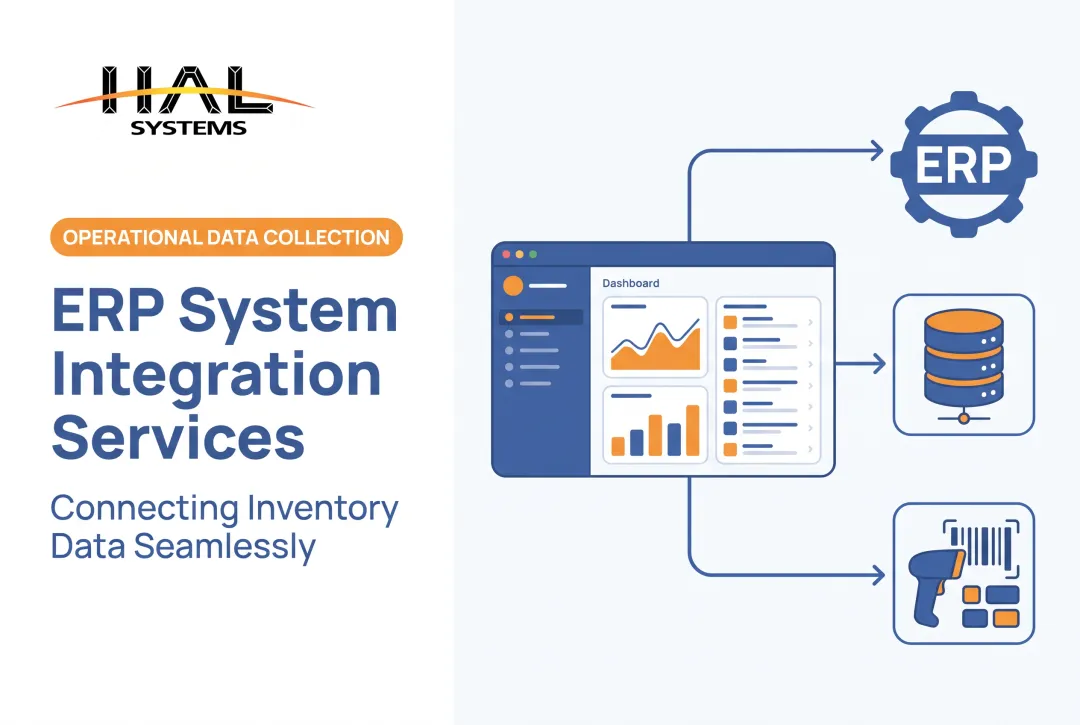
ERP system integration solves this by connecting your ERP to the other applications your teams rely on, so data moves automatically instead of being retyped. This article covers what integration actually means, how it works technically, which systems commonly connect to an ERP, the business benefits, and how to plan an integration project that holds up over time.
Key Takeaways
- ERP integration connects your ERP with other applications, databases, devices, and networks to exchange data and coordinate workflows
- Common methods include APIs, vendor connectors, middleware, file transfers, and iPaaS platforms, syncing in real time or on a schedule
- Success depends on clean data, clear record ownership, secure connections, and thorough testing before go-live
- The right approach depends on your systems, data volume, sync direction, budget, and growth plans
What Is ERP System Integration?
ERP system integration is the process of connecting your enterprise resource planning platform with other business software, databases, devices, or external networks so information flows between them automatically. It's a distinct activity from running the ERP itself.
The ERP manages core business functions like finance, purchasing, inventory, production, and order management. Integration is the plumbing that lets the ERP exchange information with everything outside those native modules, from your eCommerce storefront to a supplier's EDI network.
Integration vs. Implementation vs. Customization
These three terms get used interchangeably, but they describe different work:
- ERP implementation establishes and configures the ERP for your organization from the ground up
- ERP customization changes how the ERP itself functions internally
- ERP integration connects the ERP to other systems that remain separate parts of your technology environment
NetSuite defines ERP integration as connecting ERP systems to other software, whether built in-house or sold by a different vendor, covering tools like eCommerce platforms, HR software, and CRM. Oracle's own framework actually includes some integrations under the umbrella of customization, so the boundary isn't universal; it depends on how a given vendor categorizes the work.
Why This Matters for Data Silos
Without integration, departments maintain separate, manually updated records. Sales sees one inventory count. The warehouse sees another. Nobody's entirely sure which number is current.
Integration doesn't just move individual fields, either. It can coordinate entire multi-step workflows. A typical order might involve:
- A customer places an order on an eCommerce platform
- The ERP validates inventory availability and applies the correct pricing
- The warehouse system receives fulfillment instructions
- The shipping system generates tracking details
- Accounting receives transaction data for invoicing
That chain only works end-to-end if each handoff is automated.
How Does ERP System Integration Work?
Every integration follows the same basic flow:
- Identify the source system
- Retrieve or receive the data
- Transform it into the format the target system expects
- Apply business rules
- Deliver the data and monitor the outcome

The Technical Building Blocks
Several components typically do the heavy lifting:
- APIs request or send structured data between two applications directly
- Connectors or adapters offer prebuilt communication with popular ERP and business platforms, cutting development time
- Middleware or iPaaS layers handle routing, transformation, scheduling, and monitoring across multiple integrations at once
- File-based methods such as CSV, XML, JSON, SFTP, or EDI step in when a system lacks a usable API
IBM notes that iPaaS platforms can manage authentication, rate limits, and data transformation across cloud and on-premises environments simultaneously, which matters once you're running more than a handful of connections.
Choosing an Integration Pattern
Not every connection needs the same architecture:
| Pattern | Best for | Trade-off |
|---|---|---|
| Point-to-point | A small number of simple, direct connections | Gets tangled as connections multiply |
| Middleware / ESB | Complex environments with legacy applications | Centralizes routing but adds setup overhead |
| iPaaS | Cloud and hybrid environments needing scale | Subscription cost, but reusable connectors |
| Custom development | Unusual requirements or specialized devices | Higher build cost, maximum flexibility |
One-Way vs. Bidirectional Sync
Integration isn't always two-way. One-way integration pushes data from one system to another, like exporting ERP figures to a reporting tool. Bidirectional integration lets updates flow both directions, so inventory changes reach your eCommerce store while new orders flow back into the ERP.
Timing matters too. Real-time syncing suits urgent transactions like order confirmations. Scheduled or batch syncing works fine for less time-sensitive data, like nightly inventory reconciliation, and it's usually cheaper to run.
Data Mapping, in Practice
Systems rarely use identical field structures. One platform might store a "customer name" as a single field; your ERP might require separate first-name and last-name fields. Product identifiers often need matching too, since a SKU in your eCommerce platform may not match the item number in your warehouse system.
Beyond field mapping, solid integrations build in safeguards:
- Authentication and role-based access
- Encryption and audit logs
- Validation rules and retry logic
- Exception queues that flag failed transactions before they cause downstream problems
Systems Commonly Connected to an ERP
Most organizations don't integrate everything at once. Priorities tend to cluster by business function.
Customer-facing systems:
- eCommerce platforms and marketplaces
- Point-of-sale tools
- CRM software and customer portals
- Payment processing systems
Operations and supply chain systems:
- Warehouse management (WMS) and transportation management (TMS)
- Shipping platforms and EDI networks
- Procurement tools and supplier portals
- Demand-planning applications
Production and asset systems:
- Manufacturing execution systems and factory automation
- Barcode scanners and RFID devices
- Asset-tracking and maintenance platforms
- Field service applications
Finance and analytics systems:
- Accounting software and payroll/HR platforms
- Business intelligence tools and data warehouses
It Looks Different by Industry
A distributor typically prioritizes WMS and shipping-carrier connections to keep pick-pack-ship moving. A manufacturer leans toward MES and shop-floor integration. A field service company needs work orders, parts inventory, and technician time synced between the field and the ERP.
This is where configurable software fills gaps that a single ERP doesn't always cover well. HAL Traxx, for example, is built from software blocks for inventory control, asset tracking, and manufacturing work-in-process tracking, and it connects to ERP, accounting, shipping, eCommerce, and factory automation systems through APIs, ODBC, or file transfers. It is not a replacement for the ERP. It handles specialized warehouse or production workflows the ERP was not built to manage, while keeping ERP data in sync.

Benefits and Business Use Cases of ERP Integration
The most immediate payoff is less time spent on repetitive data entry. Once systems talk to each other, several things start happening automatically:
- Inventory quantities update across the ERP, warehouse, and sales channels together
- Orders flow from customer-facing systems into fulfillment, shipping, invoicing, and reporting
- Customer, product, supplier, and transaction records stay synchronized instead of drifting apart
A Single Source of Truth, If You Build It Right
Integration only works if you've designated authoritative systems for products, customers, pricing, inventory, and financial records. NetSuite points out that manual entry is inefficient and error-prone, producing inconsistencies and duplication that complicate decisions.
Here's the catch: integration doesn't automatically fix bad data. If your source records have duplicates or unclear ownership, integration just spreads those errors faster and to more systems.
Visibility Across Operations, Customers, and Suppliers
When systems are connected, leaders can combine financial, sales, inventory, and production data into one operational view instead of stitching together spreadsheets. Teams get alerts on:
- Low inventory levels before a stockout happens
- Delayed shipments
- Failed transactions that need manual review
- Missing asset scans during an audit
That same connected data improves day-to-day work for customers and suppliers. Customer service reps can pull order, inventory, and shipping status without calling three departments. Suppliers receive consistent purchase orders and shipment notices through EDI or portal integrations, which cuts down on the back-and-forth during ordering and returns.
Room to Grow Without Starting Over
A reusable integration layer makes it easier to add a warehouse, sales channel, or specialized application later, without ripping out your existing setup. Cloud, on-premises, and hybrid systems can coexist as long as the integration architecture supports the protocols and security controls each one needs.
For small and mid-sized operations, this matters: configurable tools can handle a specialized workflow, like lot traceability or asset check-out, without forcing a full ERP replacement.
ERP Integration Challenges and Best Practices
Integration projects run into predictable trouble spots:
- Incompatible data structures
- Legacy systems with limited APIs
- Unclear data ownership
- Poor source data quality
- Security gaps
- Scope creep past the original plan
MuleSoft's research found that developers spend roughly 39% of their time building and testing custom integrations. That share shows how much ongoing effort this work takes.
Planning the Project
Before writing a single integration, document the groundwork:
- Map current systems - owners, data flows, dependencies, and manual workarounds in use today
- Prioritize by impact - rank integrations by business risk, transaction frequency, and customer effect
- Define success criteria - fewer manual steps, faster order processing, or stronger auditability, based on your own baseline numbers rather than industry averages

Data Governance and Testing
Standardize product, customer, supplier, and order identifiers before you start syncing records. Decide, in writing, which system owns each data element and how conflicts get resolved when two systems disagree.
Testing should go beyond the happy path. Cover these cases before launch, not after:
- Duplicate records and missing fields
- Invalid values and rejected transactions
- System outages and high-volume periods
Microsoft's integration guidance recommends building retries so they're idempotent, meaning a repeated request doesn't create a duplicate transaction when a connection briefly drops.
Monitoring After Go-Live
Integration isn't a one-time project. Use logs, dashboards, and exception queues to catch failed or delayed data flows, and assign someone to actually review them. Reassess your integrations whenever the ERP, a connected application, or a compliance requirement changes.
Picking the Right Method
| Method | Good fit when |
|---|---|
| Direct API | You need real-time sync and both systems support it |
| Vendor connector | A prebuilt connection exists for your specific platforms |
| Middleware/iPaaS | You're managing multiple integrations at once |
| File transfer (EDI, CSV) | A legacy system lacks a usable API |
| Custom development | Your workflow is too specialized for off-the-shelf options |
This is often where in-house technical teams or software partners add the most value, since matching the method to your actual data volume and budget prevents over-building (or under-building) the connection.
Frequently Asked Questions
What is ERP integration?
ERP integration connects an ERP with other applications, databases, devices, or external networks to synchronize data and automate workflows. It's separate from implementing the ERP itself, which focuses on configuring the platform's core modules.
Can you give me an example of ERP integration?
A customer places an order on an eCommerce platform, which sends it to the ERP for inventory and pricing validation. The warehouse system receives fulfillment instructions, and once shipped, accounting automatically records the invoice.
What are the three types of integrations?
"Three types" commonly refers to point-to-point, middleware/ESB, and iPaaS architectures. Other classifications, such as API-based versus file-based, or real-time versus batch, are also widely used depending on context.
How can an ERP system help a business?
An ERP centralizes financial, inventory, and operational data in one place, automating workflows that would otherwise require manual coordination between departments. This supports more consistent reporting, less duplicated work, and faster decision-making.
What does an ERP system include?
Common modules cover finance, purchasing, inventory, order management, supply chain, manufacturing, warehouse operations, HR, and reporting. Exact modules vary by vendor and by the size of the business using them.
What are the 7 steps for successful ERP implementation?
A common framework includes selection, planning, training, testing, deployment, support, and post-implementation review. Integration planning should start during the planning stage, not get tacked on after the ERP is already live.